Member management that grows with your club
Master data, lists, joining forms, profile updates, club fields and digital membership cards. Everything in one software, from a small club to an association with over 1,500 members.
Why use software for member management?
There are around 100,000 clubs in Switzerland, and a large part of volunteer time is spent on administration. Software for member management gives that time back.
Self-service saves board work
Members update their data themselves in their own member area, the board only checks and approves. This saves every board member many hours over the year.
Data protection compliant instead of Excel
Instead of scattered Excel files on private computers, everyone works with the same database that is always up to date, compliant with the Swiss FADP. You set permissions per role, and when someone leaves the board, you remove access with one click.
Flexible club fields
Clothing size, allergies, licence number or emergency contact: you define your own club fields exactly as your club needs them, without programming. Members keep them up to date themselves in their own profile.
Simple switch with AI and personal help
AI reads your existing member list from Excel or the old system by itself and assigns each column to the right field. If you want, we support the move personally and free of charge.
Recommended by
 Tesla Owners Switzerland
 TSV Rohrdorf
 Altpfadi Adler Aarau
 Kunst- und Geräteturnen Kleindöttingen
 Radfahrerverein der Stadt Winterthur
 Turnverein Eien-Kleindöttingen
 Schwingerclub Rothenburg
Member data & lists
Master data, club fields, lists and families in one place.
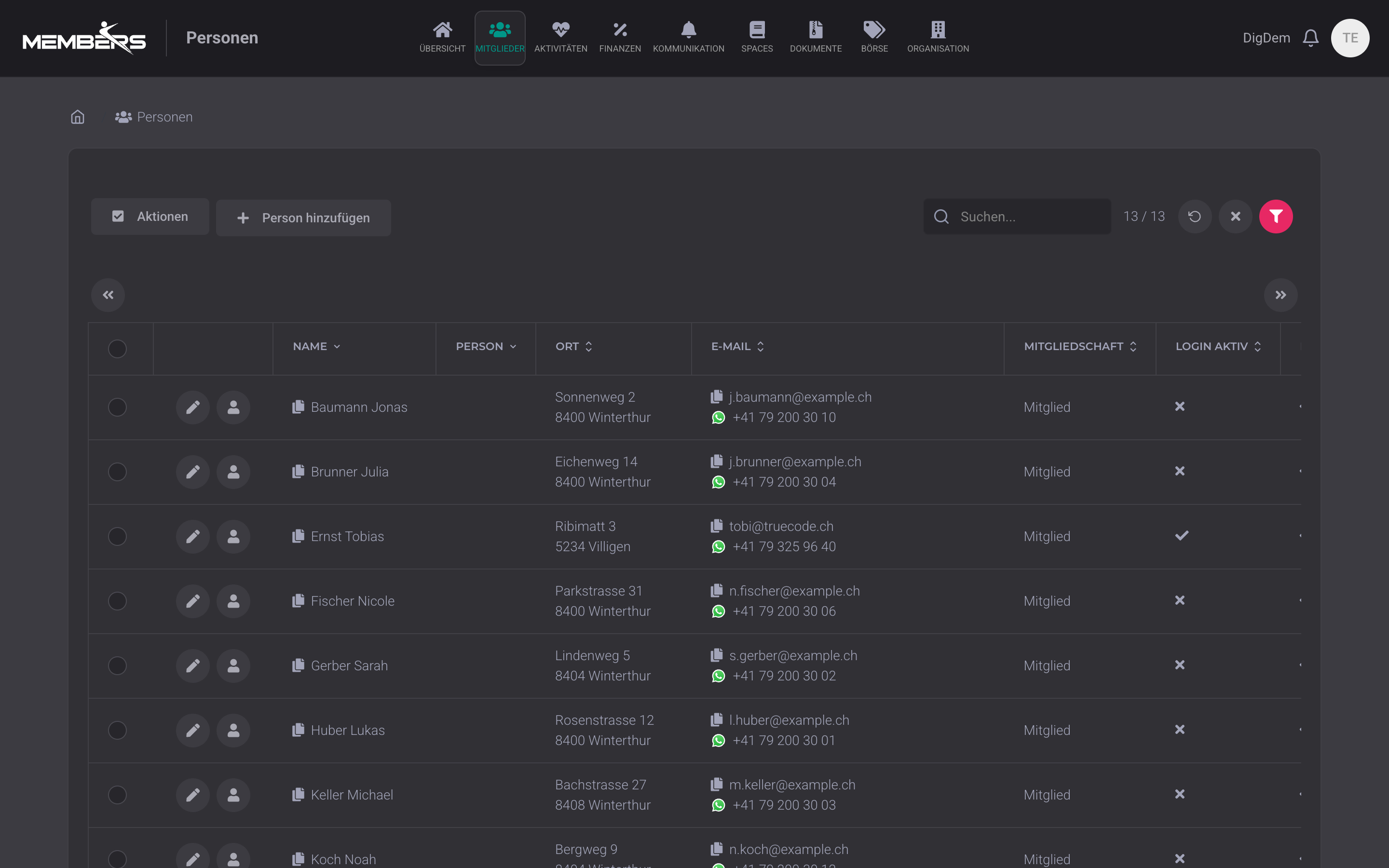
All club members at a glance
All members clearly in one list: name, address, email, phone, membership, login status. Sort, filter and search in real time, without Excel lists and without outdated versions. In edit mode, you simply drag and drop members into their categories and lists, individually or several at once.
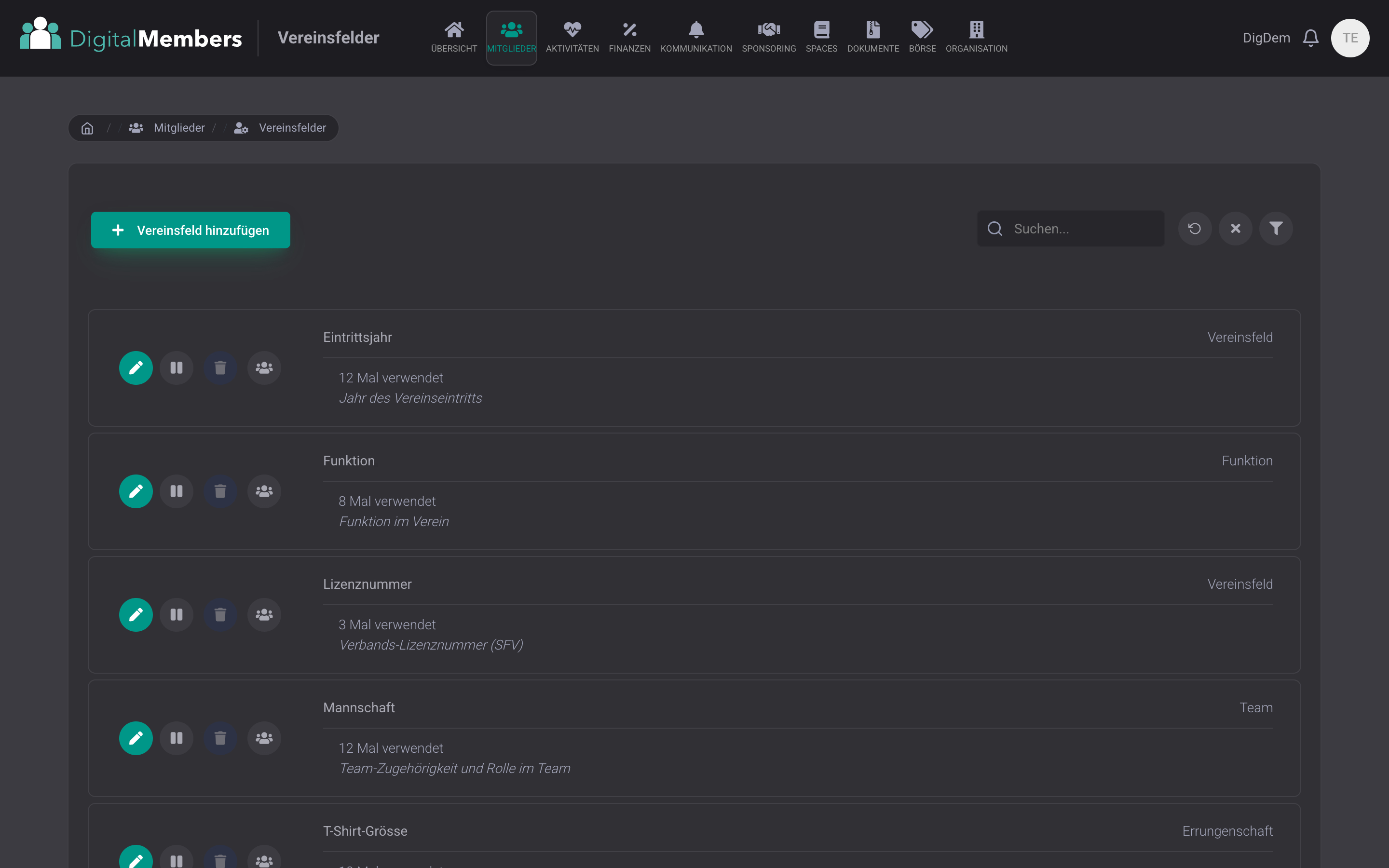
Configurable club fields
Allergies, clothing sizes, licence numbers, badges, emergency contact, define every field your club really needs. No programming, no waiting for the provider. Fields support multiple assignment, file upload, and validity periods. Perfect for camps, courses, or individual club processes.
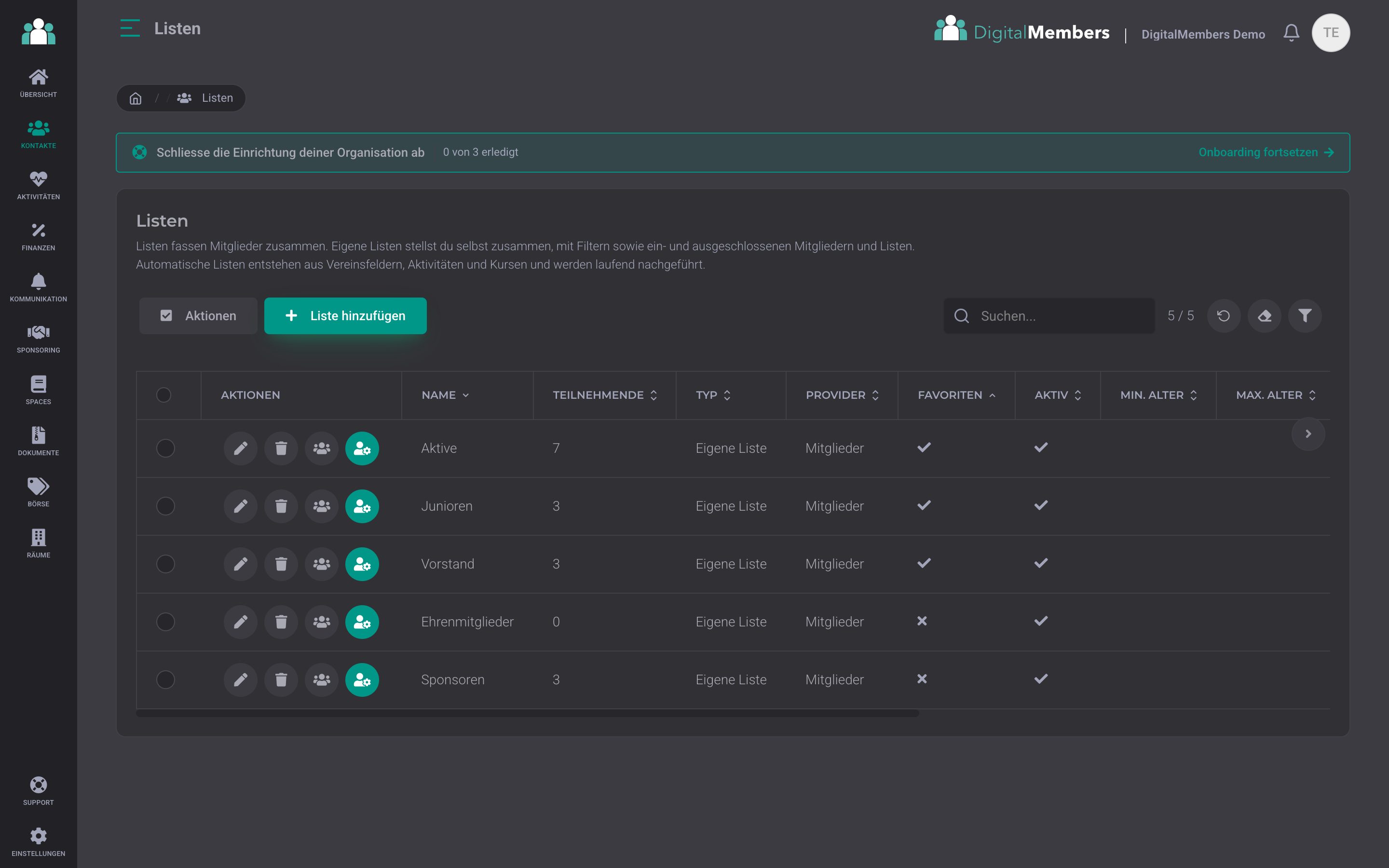
Lists, teams and roles managed centrally
All lists at a glance: active members, juniors, committee, sponsors, honorary members. For each list, you immediately see the number of participants, the type (custom list, membership, automatic list), and whether filter rules are active. A list can even consist of other lists, for example all active members without the helpers, and automatic lists such as active, passive, or honorary member update themselves daily. Favourite lists at the top, assign members with one click or start campaigns for the whole list.
Link families and bill them together
Profiles can be linked as a family: parents can view and manage their children's profiles from their own account, optionally with or without a separate login for each child. With the option to merge invoices, the family receives one joint invoice to one address, while participations and data are managed per person.
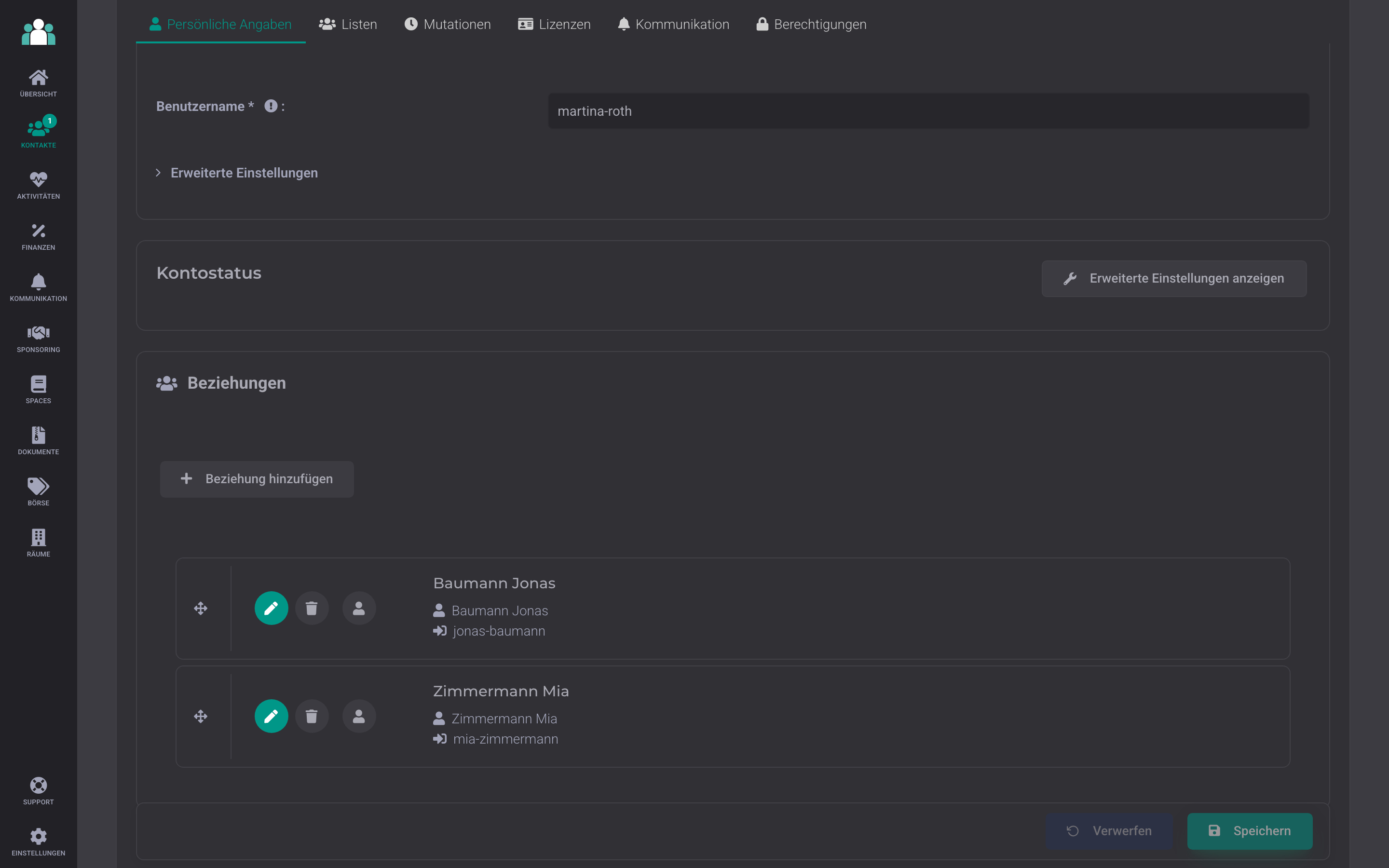
Master data & memberships managed centrally
Members, contacts, families, roles and assignments are stored centrally in one database. Status changes such as active, passive, honorary member or patron are done in three clicks and are immediately up to date for everyone on the board.
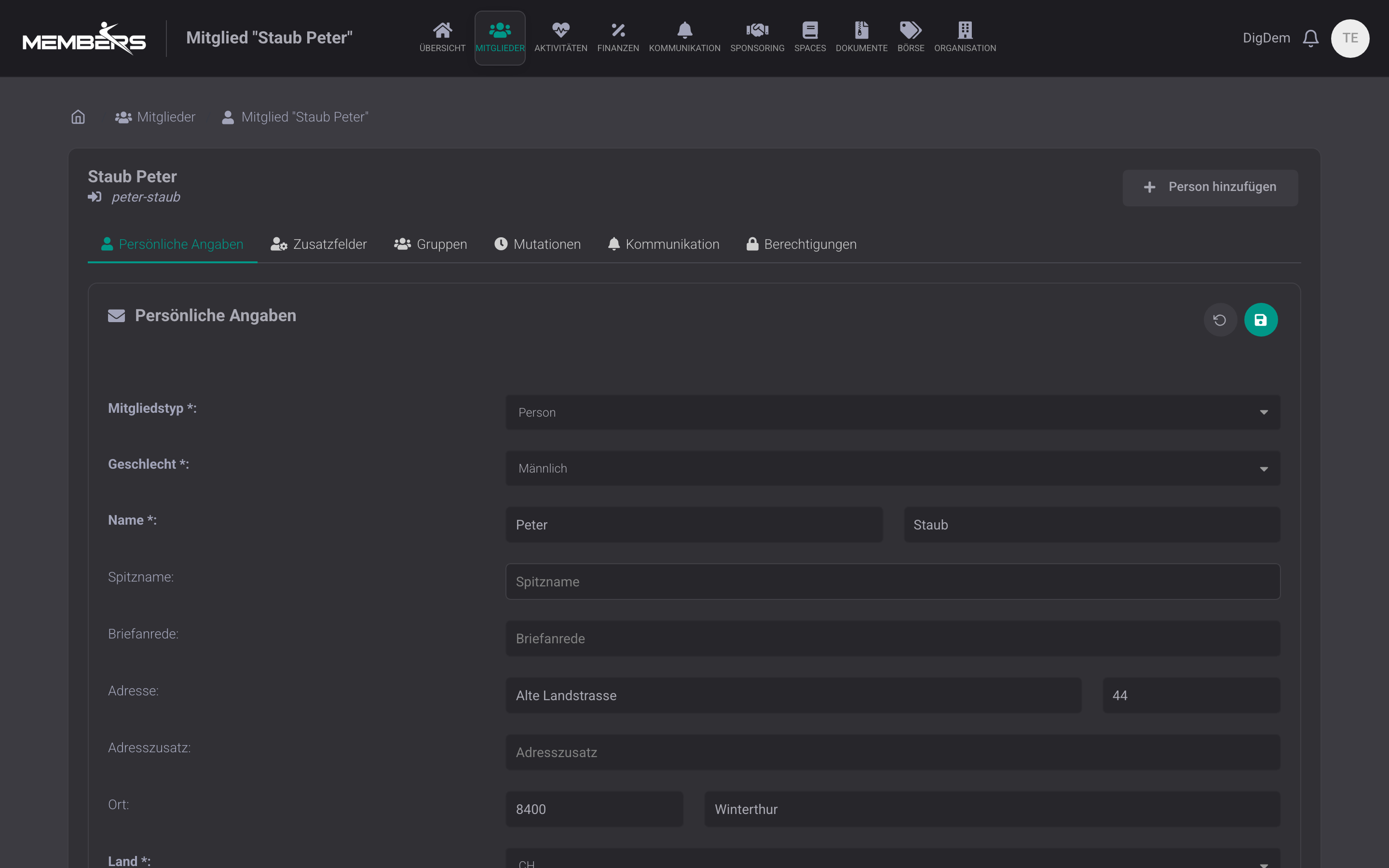
Team permissions for coaches and group leaders
Give the coach or group leader access to exactly their own people. Anyone with team permission only sees the contacts in this group, with address, date of birth, and phone number for call-ups and follow-up questions. Corrections to the details are submitted to the board for approval, and people can be moved between their own groups. This lets you share responsibility while still keeping the club data in your hands.
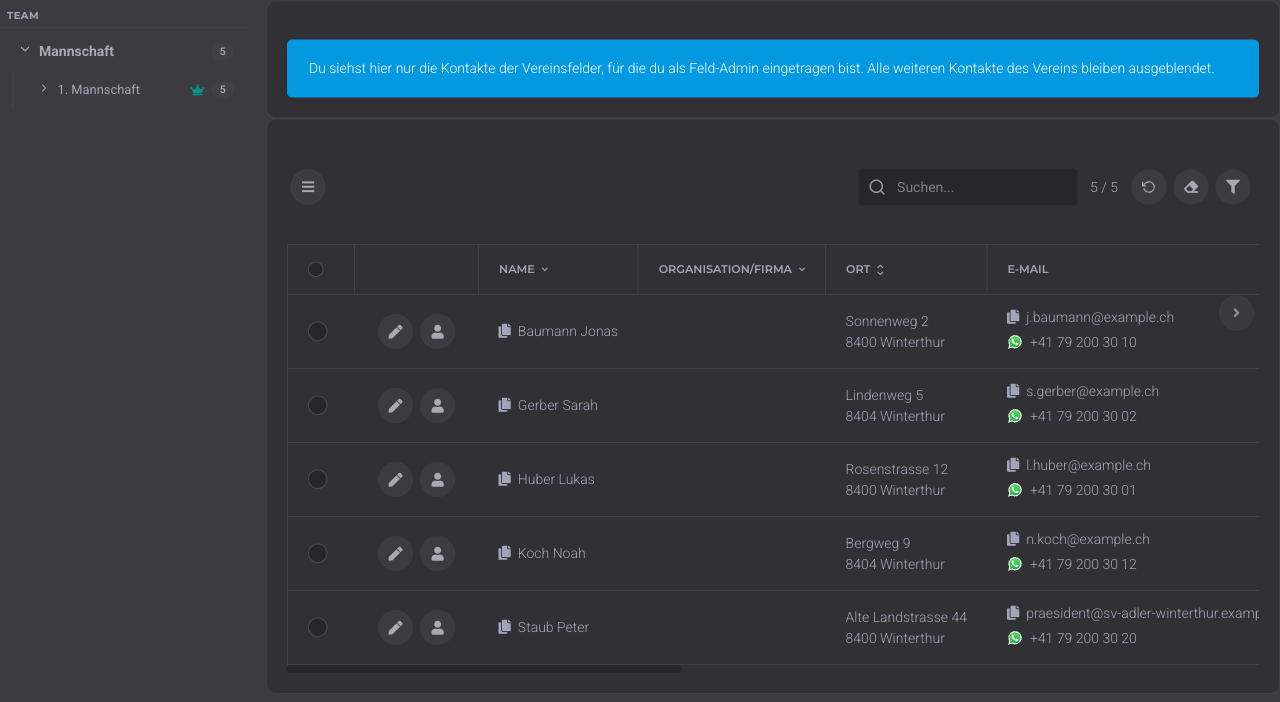
Joining and leaving
From membership application to changes and resignation, all with board approval.
Membership forms for new members
New members sign up themselves via a public link that you embed on the club website or share as a QR-Code. For each form, you decide which details are requested, including your own club fields such as clothing size, allergies or emergency contact, and whether consent to terms and conditions or data protection is required. Every registration lands with the board as a membership application. You approve it, and the member appears in the master data with all details, without you having to type anything in.
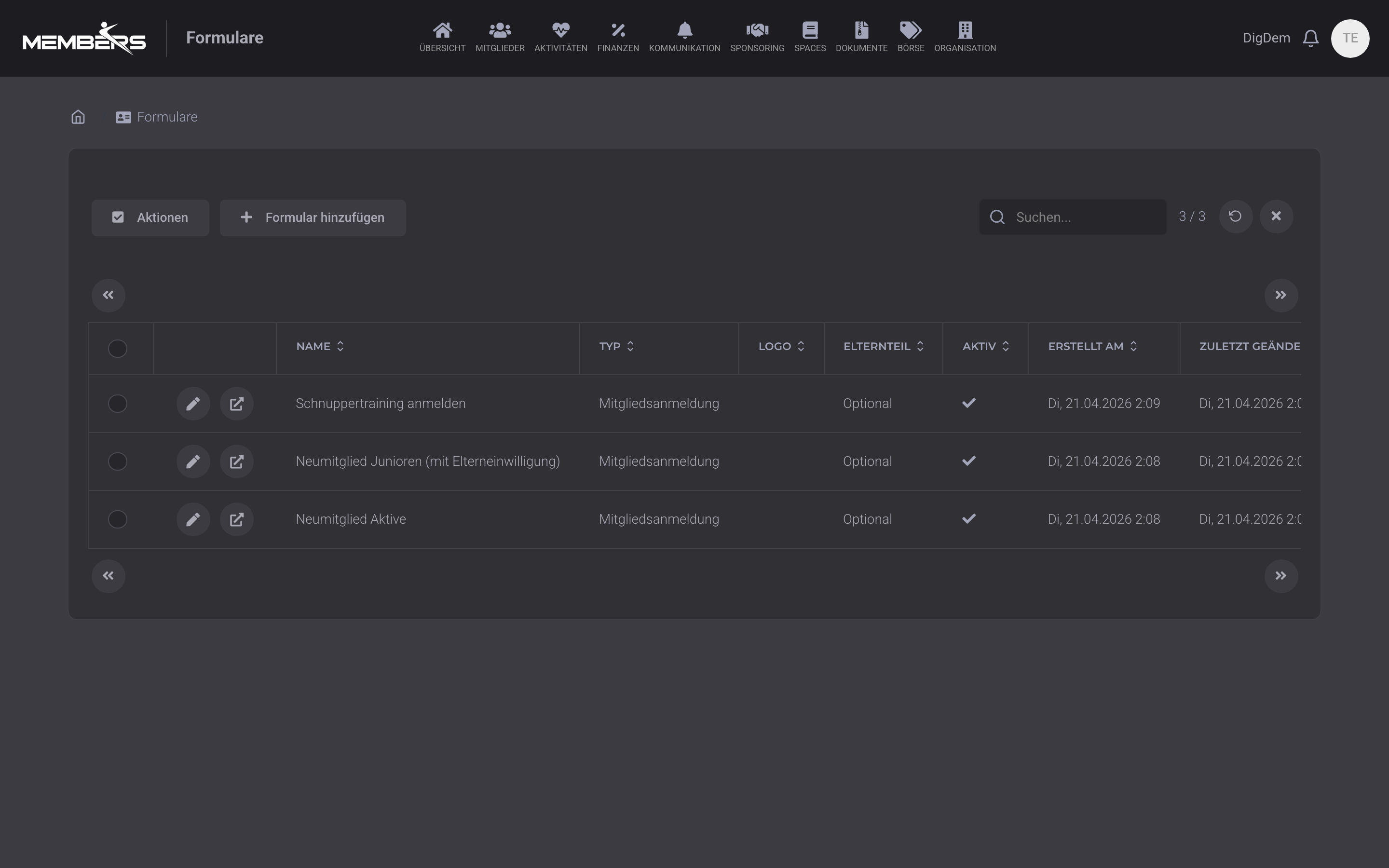
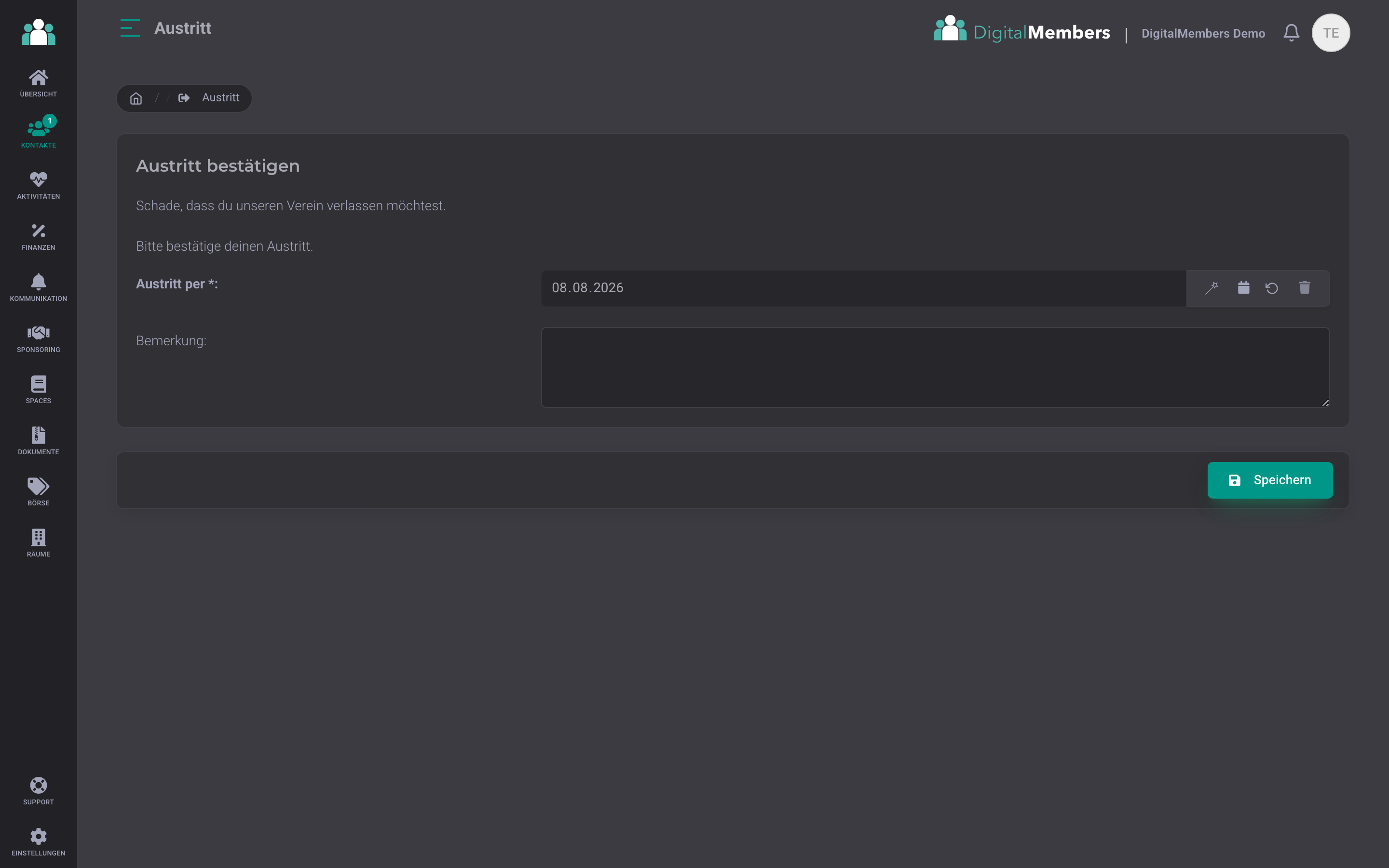
Resignation forms with automatic cleanup
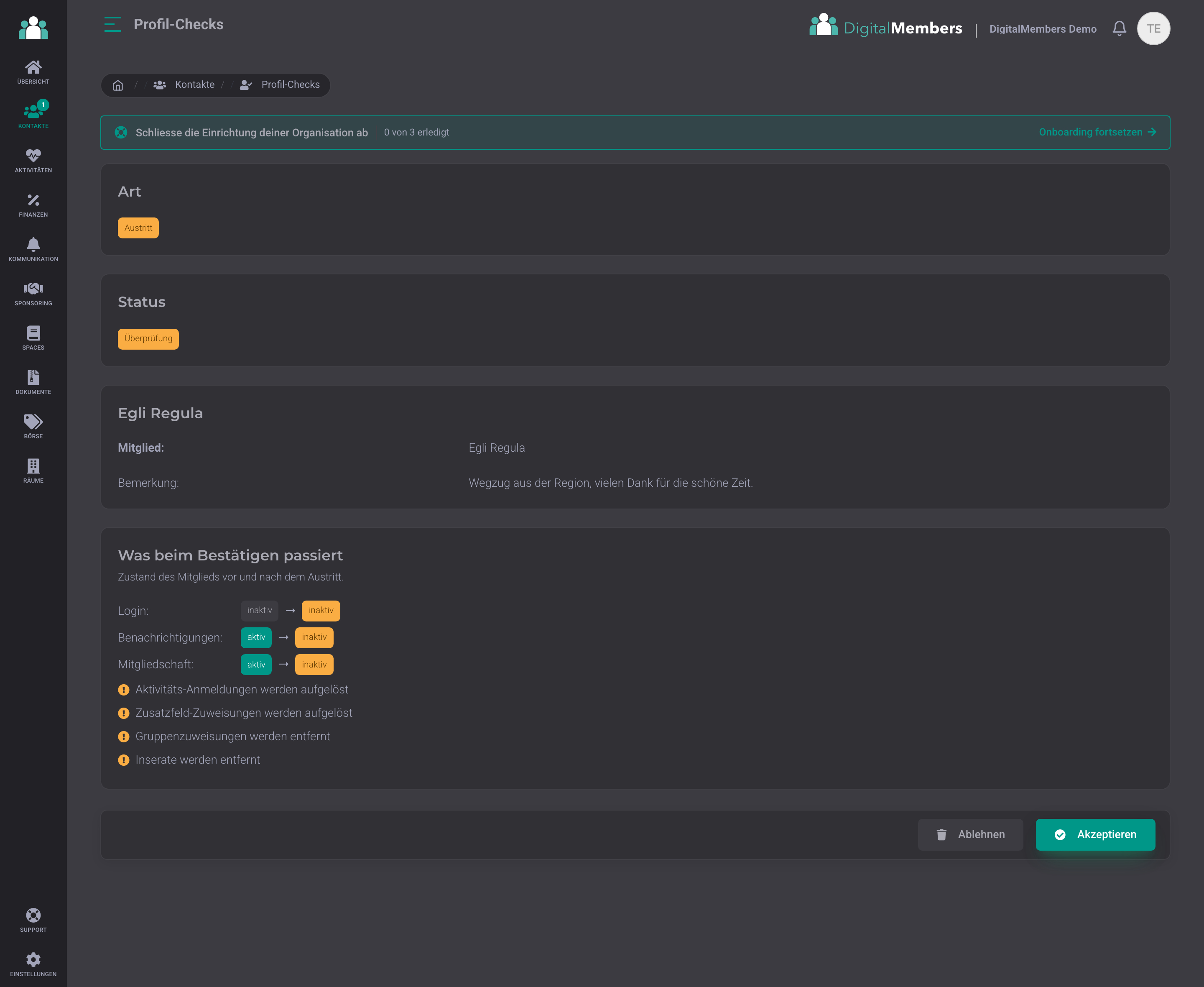
Leaving the club also runs through a form. A member submits their resignation request themselves, or the board records it. After approval, DigitalMembers automatically cleans everything up according to your settings: the member is archived, login and notifications are switched off, and current assignments to activities, lists and club fields are removed. This means no resignation gets forgotten, and you do not have to update anything by hand.
Approve profile changes and membership applications
Profile changes from members, join requests from your forms, and resignation requests all come together in one place and wait there for your approval. The committee sees exactly what was there before and what is new for every change, field by field side by side, and approves or rejects it. This way, nothing ends up in the master data unnoticed, and you stay in control of your data. Where it fits, you can also have requests confirmed automatically per form.
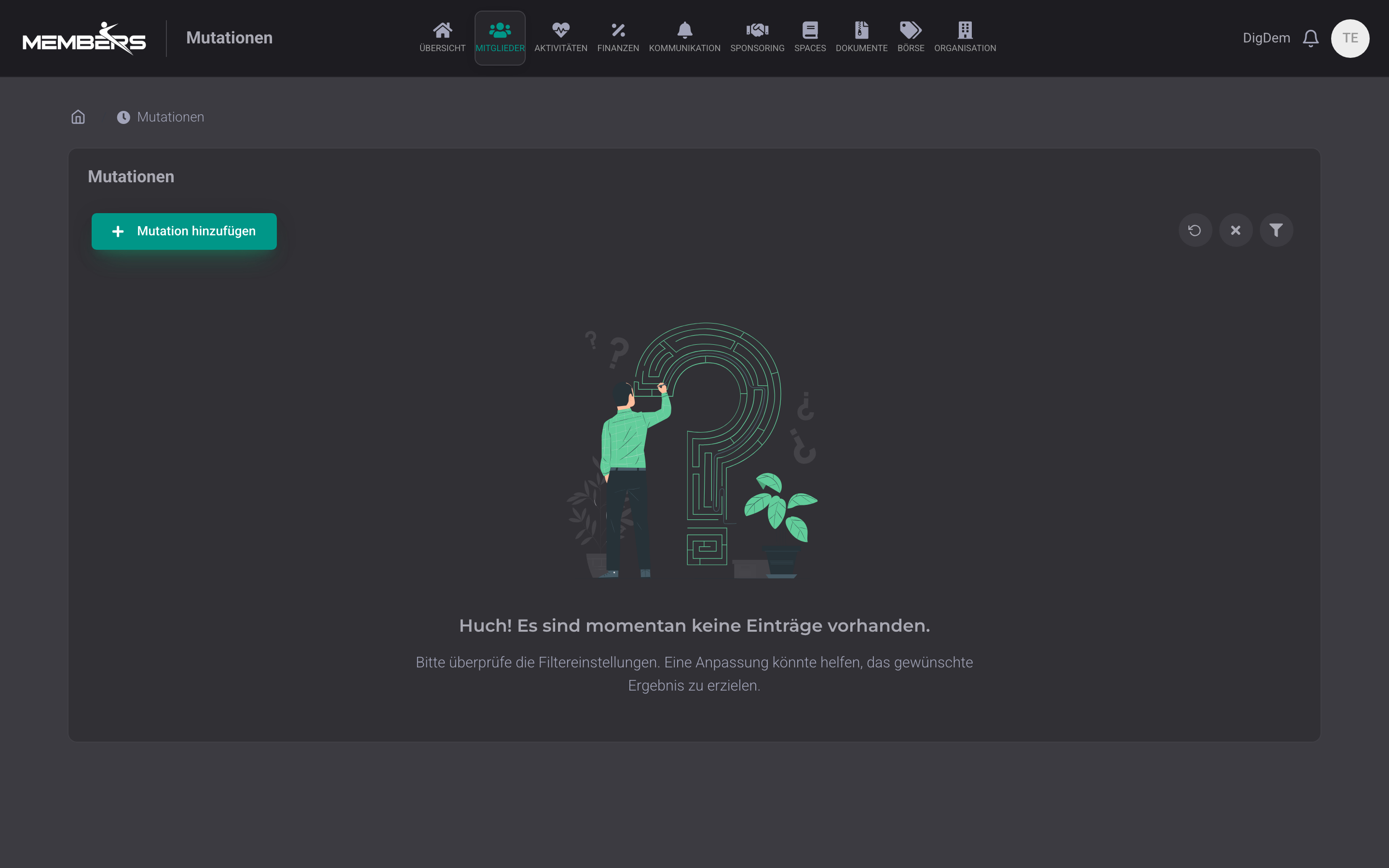
Changes documented end-to-end
Every join, leave, transfer, and profile change is documented automatically. With date, trigger (admin, form, import), and a before/after diff. Immediately traceable for the board, bylaw votes, and year-end closing.
Member area, ID card & licences
What your members handle themselves, and what the club bills automatically.
Digital member management in 30 minutes
Migrate your existing member list in 30 minutes. We’ll help you personally.
Try for freeFrequently Asked Questions
- What is member management?
- Member management is a club's central database for all people: members, family members and contacts. It keeps master data, joinings and departures, categories and your own club fields in one place, and every change remains traceable through mutations and profile updates. Lists and reports are created directly from the current data instead of from Excel files maintained in parallel.
- How do we get our existing member list into the software?
- From an Excel file in .xlsx format. The easiest way is to download the template. It contains all columns in your club language. Our import recognizes around 40 standard fields (name, address, joining and leaving dates, IBAN, social security number, ...), automatically creates new club fields, and shows you before the import which columns will be transferred and which members it has found. For the first import, we support you personally.
- Can we define our own club fields?
- In the admin area, you define the field yourself: name, type (text, number, yes/no, file), whether it can be assigned multiple times, and which roles it affects. No support ticket, no activation needed. The fields then appear in forms, profiles, and reports.
- How do member profile updates work?
- Members update their address, phone number or club fields themselves in their profile. The change first appears as a profile update for the board, and only after approval does it end up in the master data. This keeps the list up to date and prevents anyone from accidentally changing the membership status.
- Can families be billed together?
- Yes. Profiles can be linked as a family. With the "merge invoices" option, the invoice goes to one address while participations are tracked per person. Parents get access to their children’s profiles, optionally with or without a login.
- Can we issue digital membership cards?
- Yes. Every member sees their digital ID card with QR-Code in the web app. You generate the codes centrally, can regenerate them and scan them at events. No printing, no lost cards.
- Can I test member management for free?
- Yes, you can test member management free for 14 days and without a credit card. After that, DigitalMembers costs from CHF 99 per year for clubs with up to 30 members.
Ready to modernise your member list?
Try it free for 14 days. No credit card. Personal migration support from Switzerland.
Try for free