Submit expenses digitally, the AI does the rest
Take a photo of the receipt, amount and date are captured automatically. The treasurer approves, the entry lands in the journal, and the payout runs as Pain.001 straight into e-banking.
Photograph the receipt, AI does the rest
Photo from your smartphone, PDF from an email attachment or plain text from an email. Even handwritten receipts are reliably recognised. The AI extracts amount, date, creditor and payment reference.
Bundled requests instead of individual receipts
Multiple receipts per submission, e.g. all coaches’ expenses for the month in one bundled request. One approval step, one payout flow.
Posted directly, not just recorded
Approved expenses are automatically posted to double-entry accounting, to the right account and with the receipt attached. No separate posting process.
Recommended by
 Tesla Owners Switzerland
 TSV Rohrdorf
 Altpfadi Adler Aarau
 Kunst- und Geräteturnen Kleindöttingen
 Radfahrerverein der Stadt Winterthur
 Turnverein Eien-Kleindöttingen
 Schwingerclub Rothenburg
Expenses without a mountain of envelopes
Coach compensation, equipment purchases, aperitif invoices, travel expenses from the general meeting. In many clubs, this all goes into an envelope with receipts that ends up with the treasurer at the end of the month, and then the typing into Excel or directly into the club accounting begins. In the end, a third does not match, and somewhere a receipt is missing.
The expense module turns the process around: the submitter photographs the receipt directly on their smartphone, and the amount, date, and creditor are taken straight from the image, with the matching expense account suggested. The treasurer checks and approves it. Once the request is approved, the entry automatically lands in the journal and the payout is prepared as Pain.001 for e-banking. No typing, no Excel, no lost receipts.
Four formats for every receipt reality
Four formats, one choice in two clicks. Single receipt for the classic receipt, multi-receipt for the PDF bundle with multiple line items on one page. Text and Excel cover cases where you just copy the numbers from an email into the expense list. Your selection decides how the image is split up. After that, everything runs automatically.
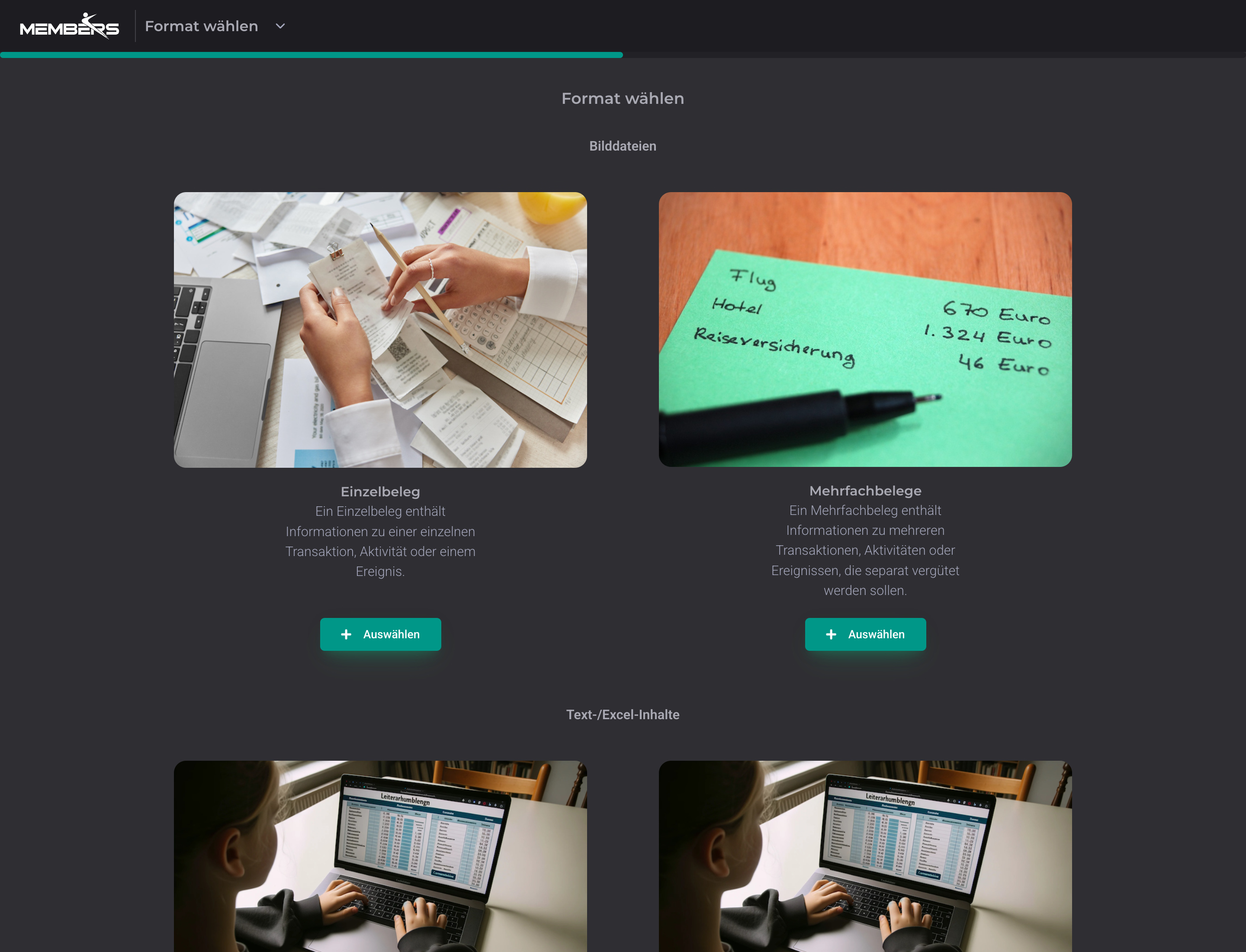
A photo is enough. The rest happens automatically
Photograph the receipt or upload it as a PDF; supported formats are JPEG, PNG, HEIC, WebP, PDF and plain text. Amount, date, creditor (name, address, IBAN, UID), payment reference and receipt type are automatically extracted from the image. If there are multiple receipts on one invoice (combined receipt), the individual line items are recognised and created separately. You review the values, correct them if needed with one click, and submit.
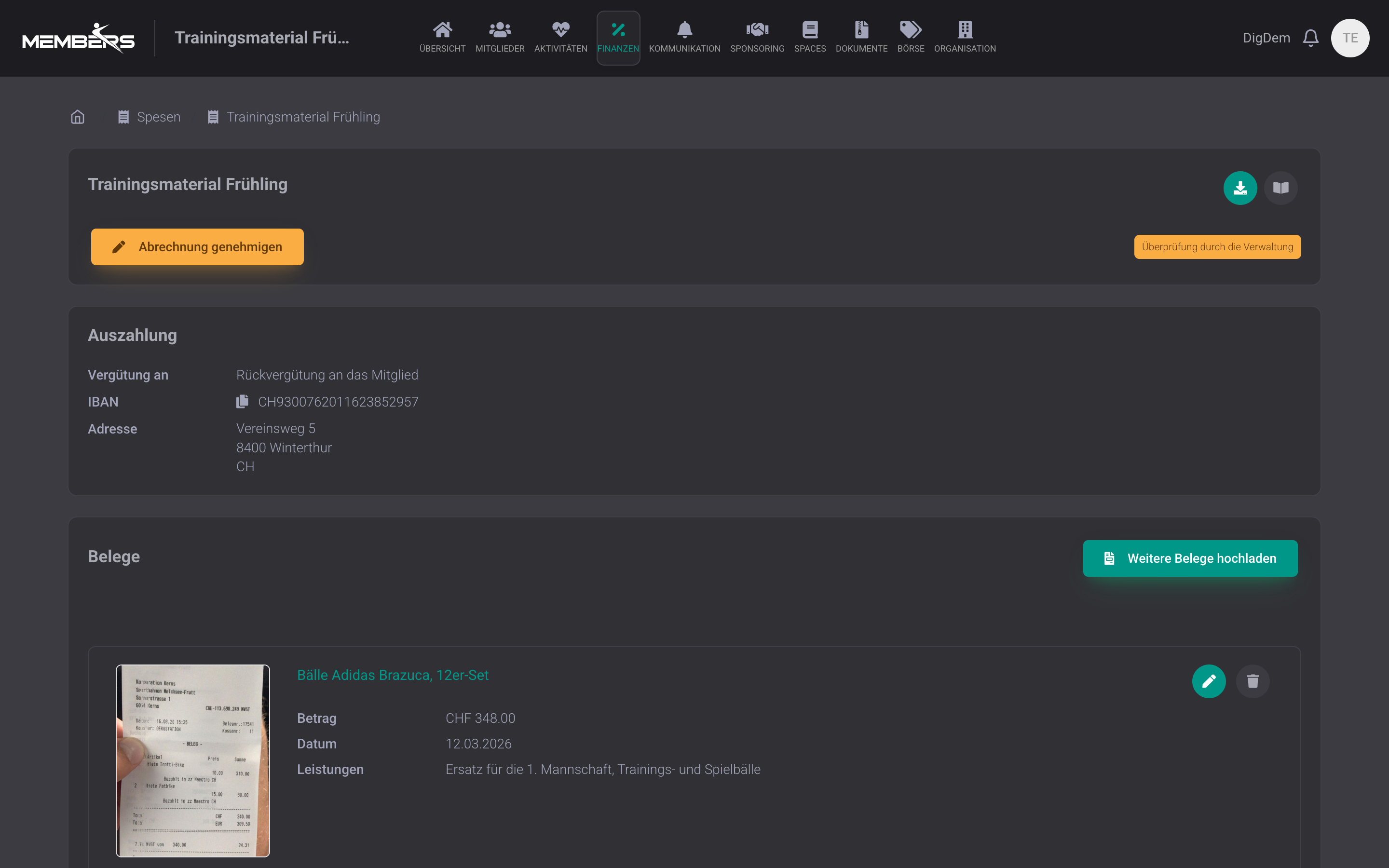
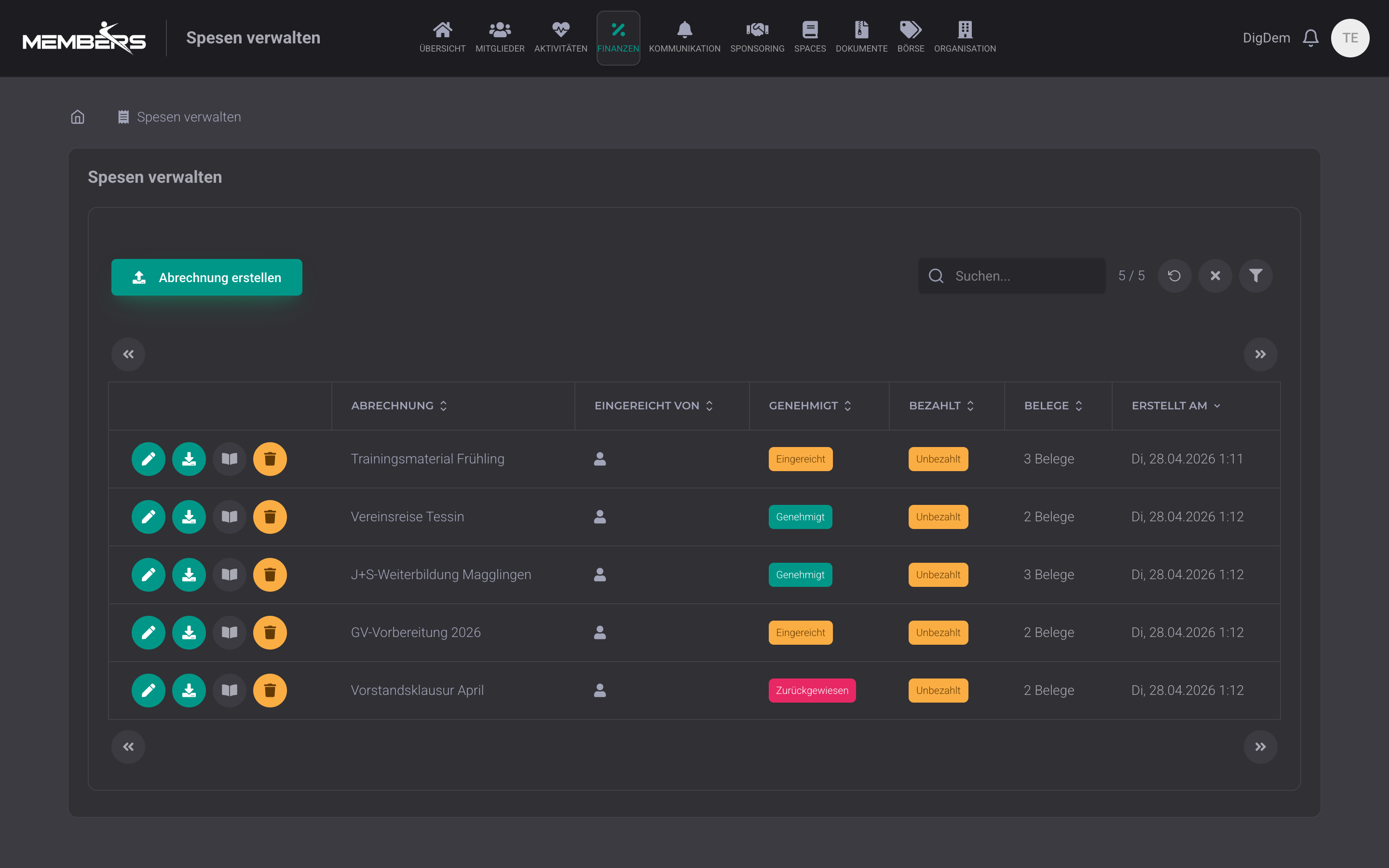
The board checks all expense claims at a glance
In board mode, you see all submitted expense claims from all members in a sortable table. Column filters for status, payment status and submitter, plus full-text search at the top right. Approve, download payment file (Pain.001) or open accounting directly from the row. If an expense account or required field is still missing on a receipt, approval is blocked. You see immediately which claim needs attention.
Approval flow with status
Submitter → treasurer → approval. Status flow from draft to submitted and approved or rejected, every step with date and person.
Payout via Pain.001 into e-banking
Approved expenses are automatically bundled into a Pain.001 file. Upload once to e-banking and all members get paid out in one step. No more individual payment orders.
Complete log for auditor & board
Every submission, status change, and payout is logged audit-proof with who, when, and what. Always traceable for the auditor and board, without anyone having to dig through folders.
Frequently Asked Questions
- How accurate is the AI receipt recognition?
- The AI extracts the fields, you see them directly and can correct individual values before submitting. For printed receipts, it is usually 100 percent accurate, and it also analyses handwritten receipts without any trouble and with high accuracy. If a value is ever off, correcting it takes just one click.
- Which formats can I upload?
- Photos from your smartphone (JPEG, PNG, HEIC, WebP), scanned PDFs, and even simple text entries if you receive a receipt by email and paste it in. Per expense claim you can upload as many receipts as you like.
- Does the platform pay expenses directly to the bank account?
- No, we do not post directly to the recipient account. After approval, you export the payments as a payment file for your e-banking (Pain.001) and upload it there. Faster than a manual transfer, but you keep control over approval.
- Is there a limit per month or per receipt?
- No limit on the number of items per club or request. The analysis runs in the background. For large collective requests, it takes from a few seconds to a few minutes. You can see the progress for each receipt.
Expenses that almost reimburse themselves
Snap receipts, AI extracts, treasurer approves, Pain.001 straight into e-banking. Included in every plan.
Try for free