Club news that reaches every member
You build newsletters, invitations and info letters with blocks, choose the recipient list and then see who opened and clicked.
Design without prior knowledge
Drag blocks, images, buttons and columns into place with your mouse. No HTML, no external tool, no template that falls apart on mobile.
Recipients from the member list
Recipients come directly from your member data. You choose a list, a category or a filter, and the addresses are always up to date.
Recommended by
 Tesla Owners Switzerland
 TSV Rohrdorf
 Altpfadi Adler Aarau
 Kunst- und Geräteturnen Kleindöttingen
 Radfahrerverein der Stadt Winterthur
 Turnverein Eien-Kleindöttingen
 Schwingerclub Rothenburg
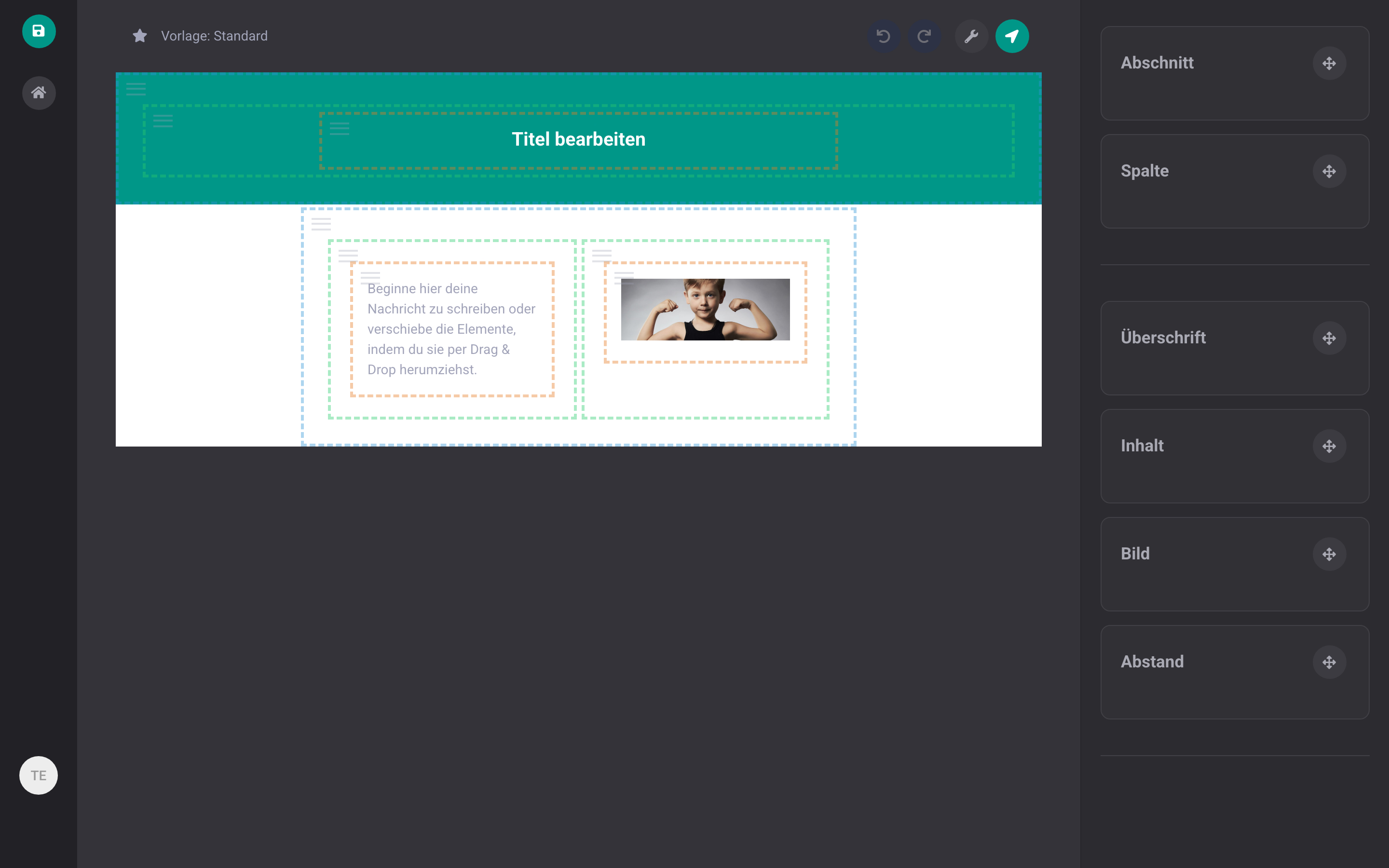
The campaign designer
You build the message from blocks and immediately see how it looks. Greeting, name, and other details are inserted as placeholders, so every member gets their own personal version. If you write the message in multiple languages, each member automatically receives the version in their language.
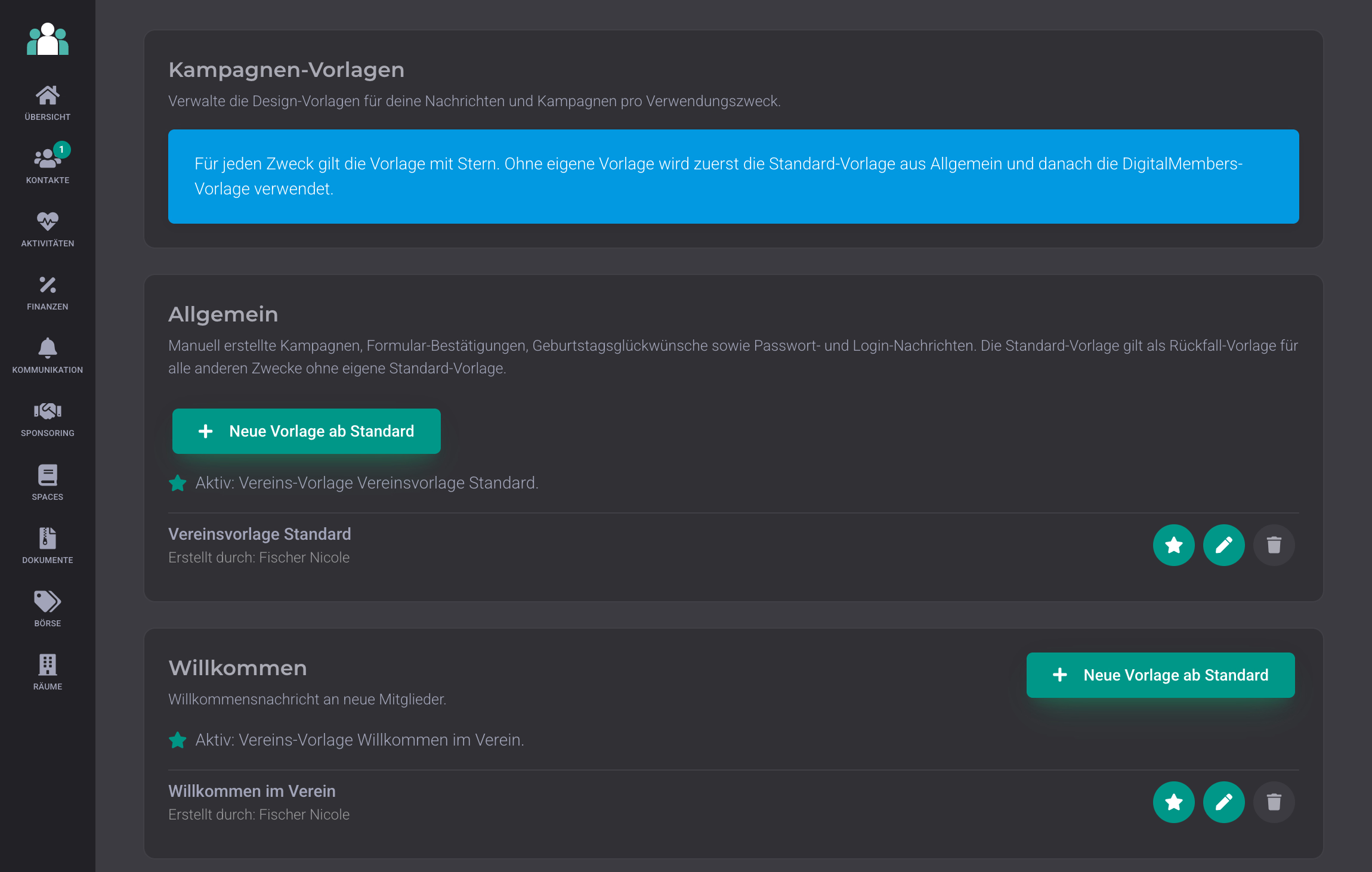
Club templates: all messages in the same design
A template defines how your messages look: your logo at the top, your colours, your footer. You set it up once, and every new message automatically uses this look. You can store multiple templates, for example a colourful one for the newsletter and a simple one for invoices. If you change a template, the new look applies from the next message onwards.
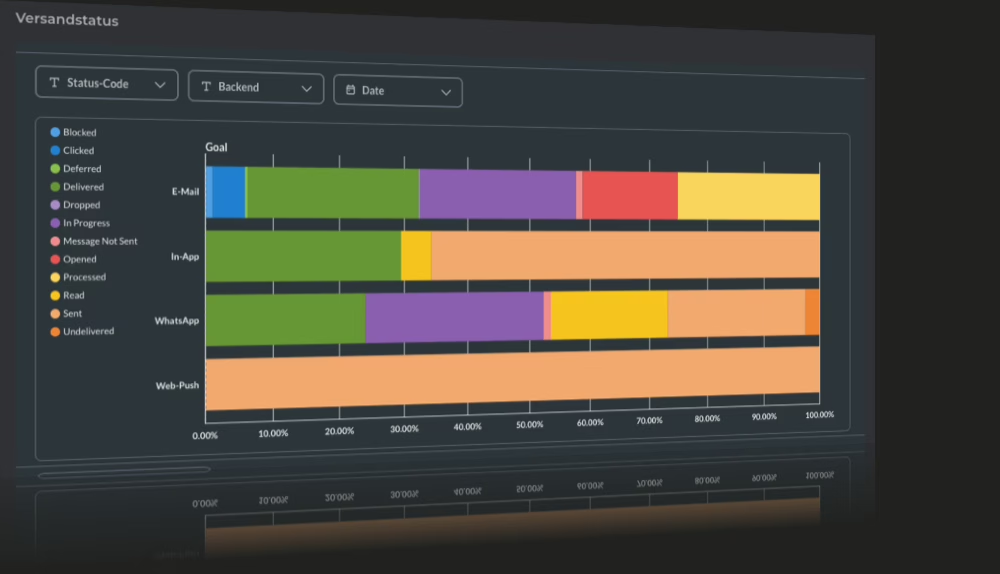
See whether the message arrived
For each mailing, you see in real time what happened to every single message: sent, delivered, opened, clicked or failed. An invalid address appears in red in the list, you ask directly and correct it. This keeps your member list clean instead of quietly becoming outdated.
Test send to yourself
Before the real send-out, you send the message to your own address and see exactly what the member will receive.
Text suggestions by AI
The AI knows context from activities and member numbers and suggests texts that fit your club.
Send in multiple languages
Members receive the message in their language. You create the translation directly in the designer.
Brevo and Mailchimp remain usable
If you already use a newsletter tool, you can have the member list synced there daily.
Frequently Asked Questions
- How do I choose who gets the newsletter?
- Through the member data. You choose a saved list, a category or set a filter, such as all active members or all parents. Recipients are determined fresh when sending, so there are no outdated mailing lists.
- Can I see who opened the newsletter?
- Yes. For each sendout, you see delivered, opened, clicked and failed, each per member. You can spot invalid addresses immediately and correct them.
- Can we keep our current newsletter tool?
- Yes. DigitalMembers syncs your member list with Brevo or Mailchimp every day, so the contacts there are always up to date. You keep your familiar workflow and still save the effort of maintaining addresses.
Send your next newsletter from the member list
Try it free for 14 days, no credit card required.
Try for free