Room management for clubs and municipalities
Requests, permits and an occupancy plan for gyms, event halls, clubhouses or the club bus. Especially strong for municipalities that allocate rooms online to clubs and private individuals.
Request & permit, traceable
Online request, review, status workflow and complete log. Every approval is traceable.
Occupancy in Google Calendar
Approved reservations automatically appear in Google Calendar.
Automatic approval PDFs
Permit with all details as PDF and Word, automatically generated from the request.
Recommended by
 Tesla Owners Switzerland
 TSV Rohrdorf
 Altpfadi Adler Aarau
 Kunst- und Geräteturnen Kleindöttingen
 Radfahrerverein der Stadt Winterthur
 Turnverein Eien-Kleindöttingen
 Schwingerclub Rothenburg
For clubs and their municipalities
Who has the sports hall on Friday evening? Which group is using the function room on Saturday? And if a club wants to rent a tent or the club bus, who checks the request and issues the approval? In many cases this still runs via a call to the groundskeeper or the municipal office, an Excel occupancy plan and a half-forgotten Word template.
The module is particularly strong in collaboration with the municipality: sports halls, clubhouses, the club bus or outdoor facilities are often managed centrally by the municipality. Clubs submit requests online, the municipality moderates them, approvals come back as PDFs, and everyone sees the current occupancy schedule.
Structure rooms & inventory
Rooms and infrastructure in inventory groups: sports halls, event halls, clubhouse, meeting rooms, outdoor facilities, club bus, tents or vehicles. Any number of individual items per group, each can be activated individually.
From the field: Municipality of Böttstein
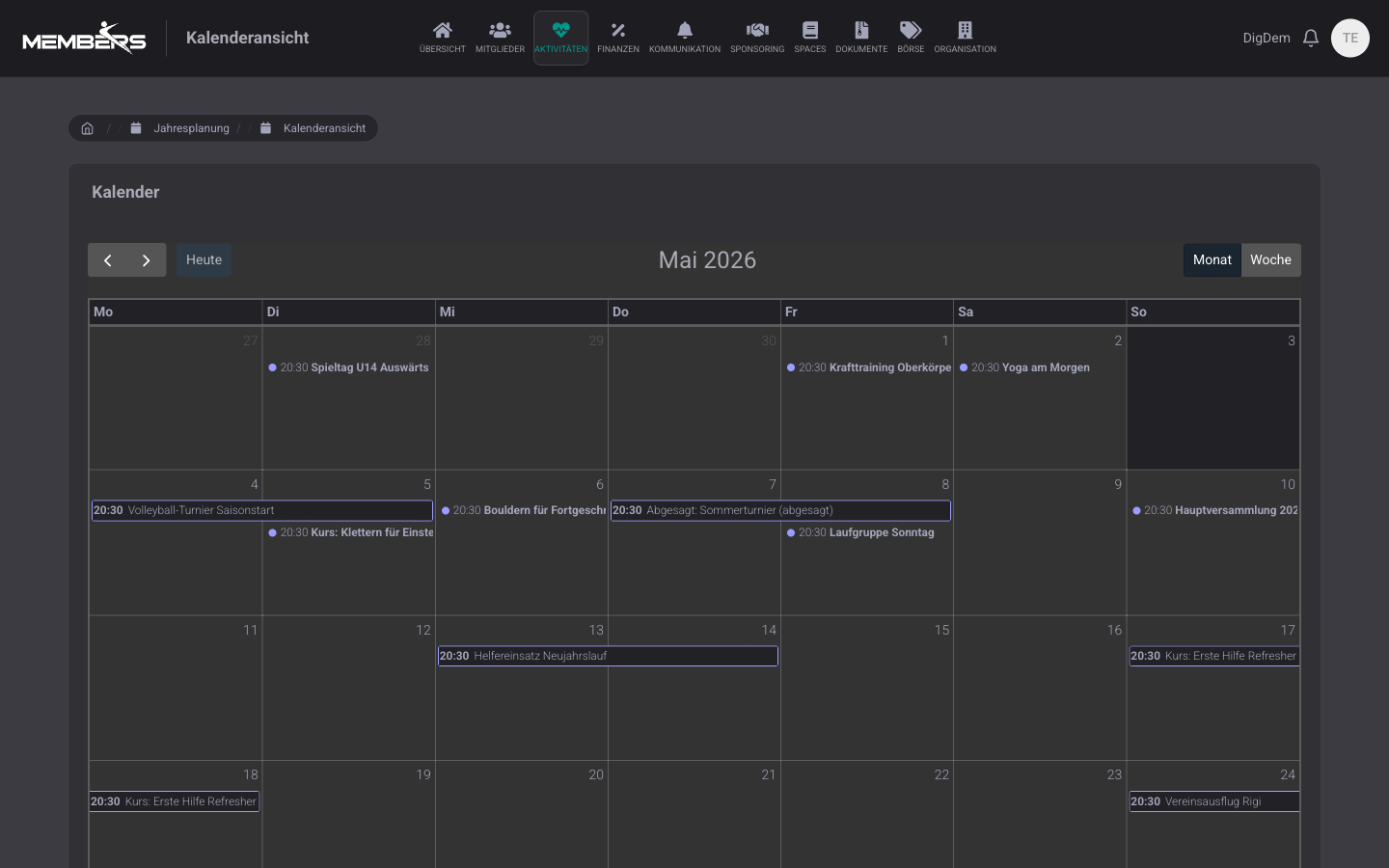
The municipality of Böttstein makes rooms and facilities available for online reservations for cultural, social and sporting events. If your municipality is planning something similar, feel free to connect us with the administration. As a club, you embed your municipality's occupancy calendar directly in DigitalMembers: hall and room reservations automatically appear for your members and are always up to date.
reservation.boettstein.ch →Automatic approval PDFs and Word documents
Approved requests are automatically generated as Word and PDF, including event, rooms, conditions and signature placeholders. Applicants receive the PDF, the board the Word version.
Room occupancy in Google Calendar
One calendar per room or a central one for the board. The caretaker sees in the morning which rooms are booked in the evening, and the applicant has the appointment directly in their calendar.
External applicants: companies, clubs, private individuals
You create external companies, clubs or private individuals as contacts. They submit the request via the public form, and you moderate it just like internal requests.
Frequently Asked Questions
- Who uses the DigitalMembers resources module day to day?
- Two typical users: municipalities that make sports halls, function rooms, outdoor areas or the club bus centrally bookable online for clubs and private individuals. And clubs themselves that manage their own rooms and resources (clubhouse, meeting room, club bus) and also accept requests for weddings, company aperitifs or other clubs.
- How are double bookings prevented?
- The platform blocks conflicts automatically: as soon as a room is already reserved for the desired time period, the new request is not accepted and the applicant is informed about the conflict directly in the form. No second approval possible.
Reserve and approve rooms digitally
Room reservations, approvals, and calendar entries in one module. From request to PDF approval in just a few clicks.
Try for free