Club accounting with automatic bank reconciliation
The complete online accounting for your club: upload a bank statement and payments are automatically matched with open invoices. Plus double-entry accounting, balance sheet, income statement and budget, connected with members and activities.
Bank import with automatic matching
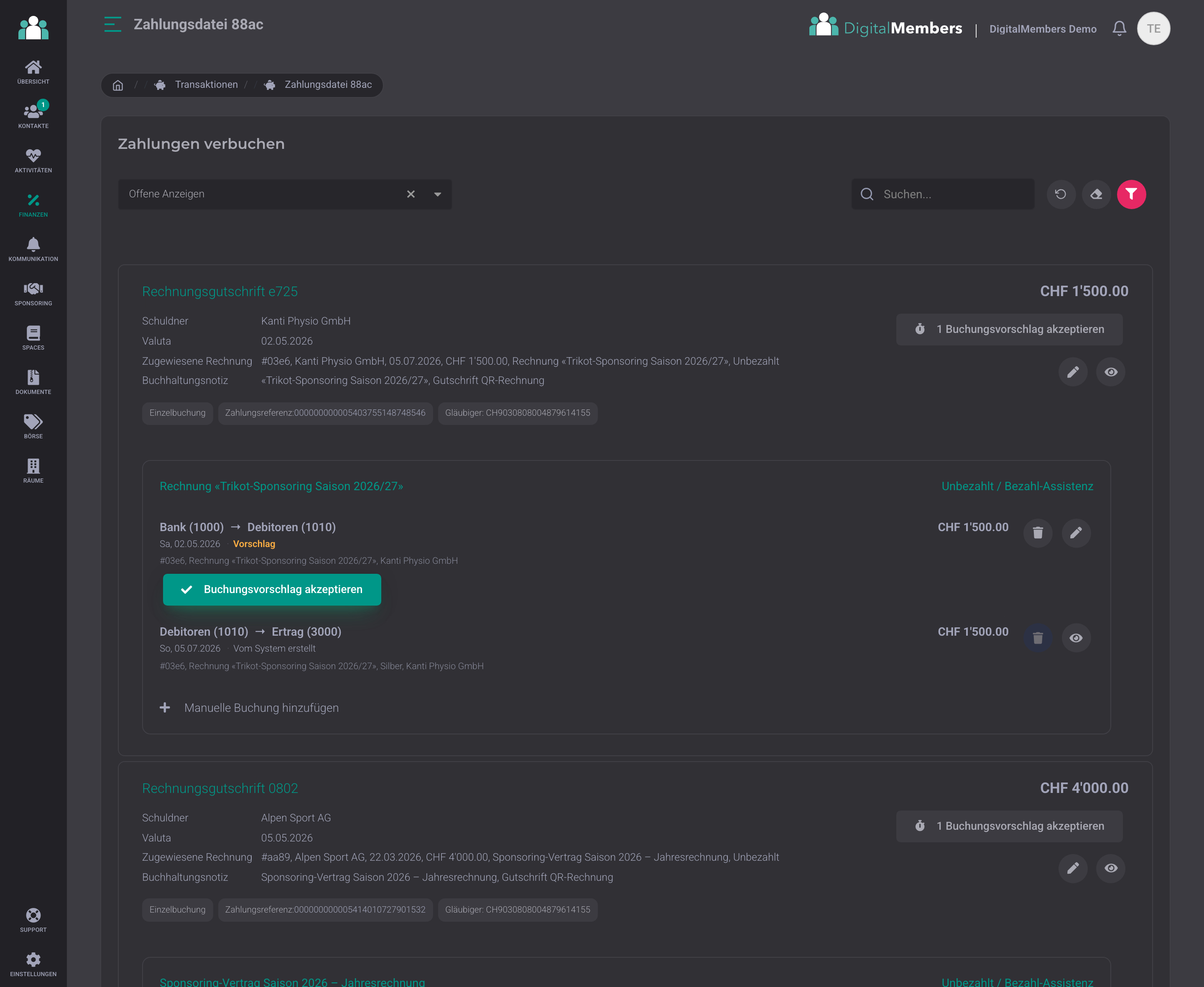
You upload your bank statement, the platform handles the rest. Payments are automatically matched to open club invoices, even if one payment covers several invoices. After the import, you can see at a glance for each file how many invoices have been matched and paid, and what is still open. For anything that cannot be matched clearly, artificial intelligence suggests the right booking, learned from your previous bookings. You confirm with one click. All common Swiss bank formats are recognised, including credit card statements as PDF.
User-friendly double-entry accounting
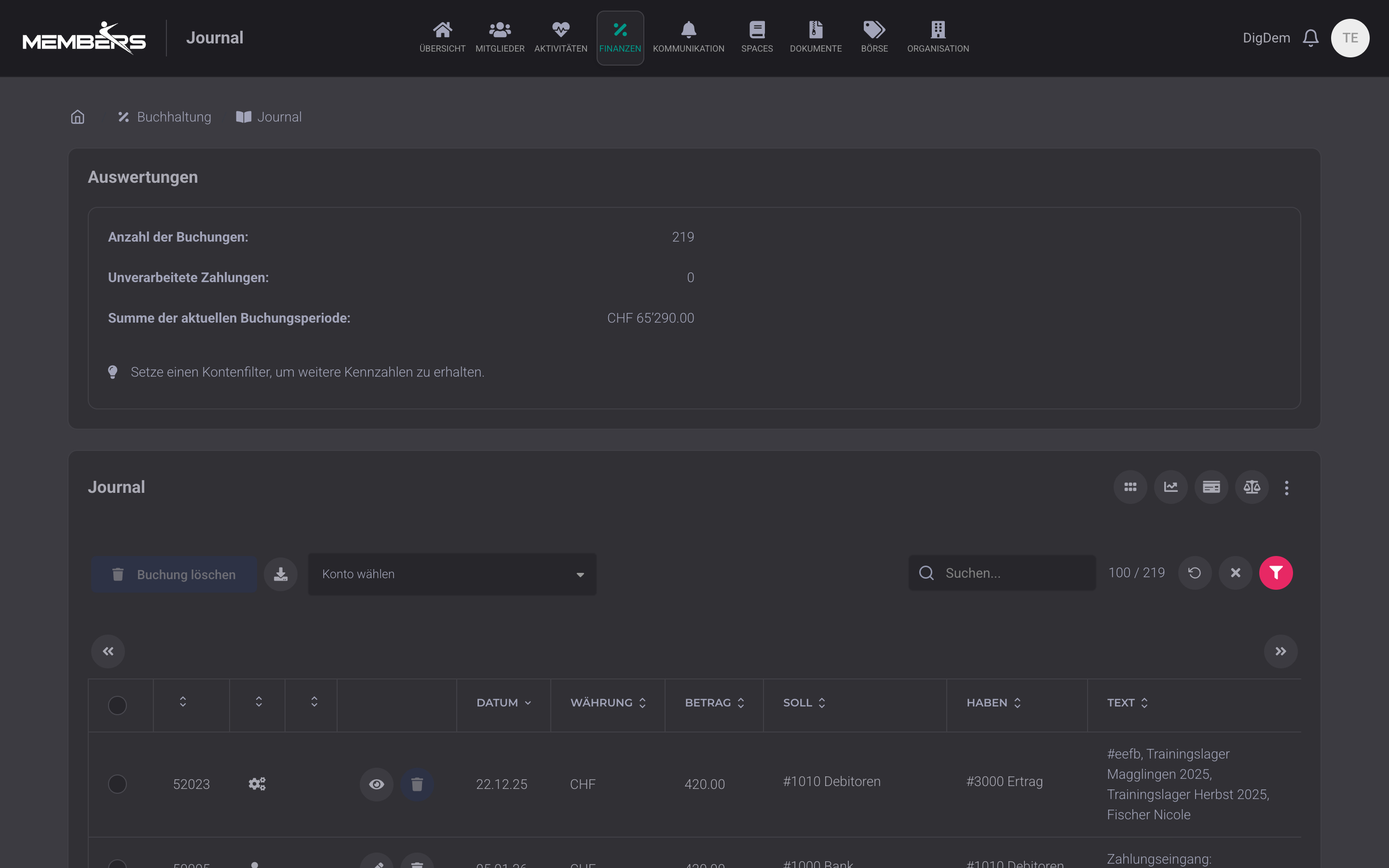
Membership fees, course and activity invoices, sponsorship income, expenses and payroll settlements are automatically posted to the right accounts. The related invoices are created directly from the member list, and every payment lands in the journal as a completed entry without any manual typing. The accounting is fully fledged, completely online in the browser and easy to handle for volunteers: small businesses use it too, and we run the accounting for our own company Truecode Engineering GmbH on it as well. Hierarchical chart of accounts, journal with full-text search, balance sheet and income statement in real time. Receipts are attached directly to the entry. Auditors get PDF and Excel files at the push of a button. Get started in just a few minutes with a club chart of accounts template.
Balance sheet and income statement available anytime
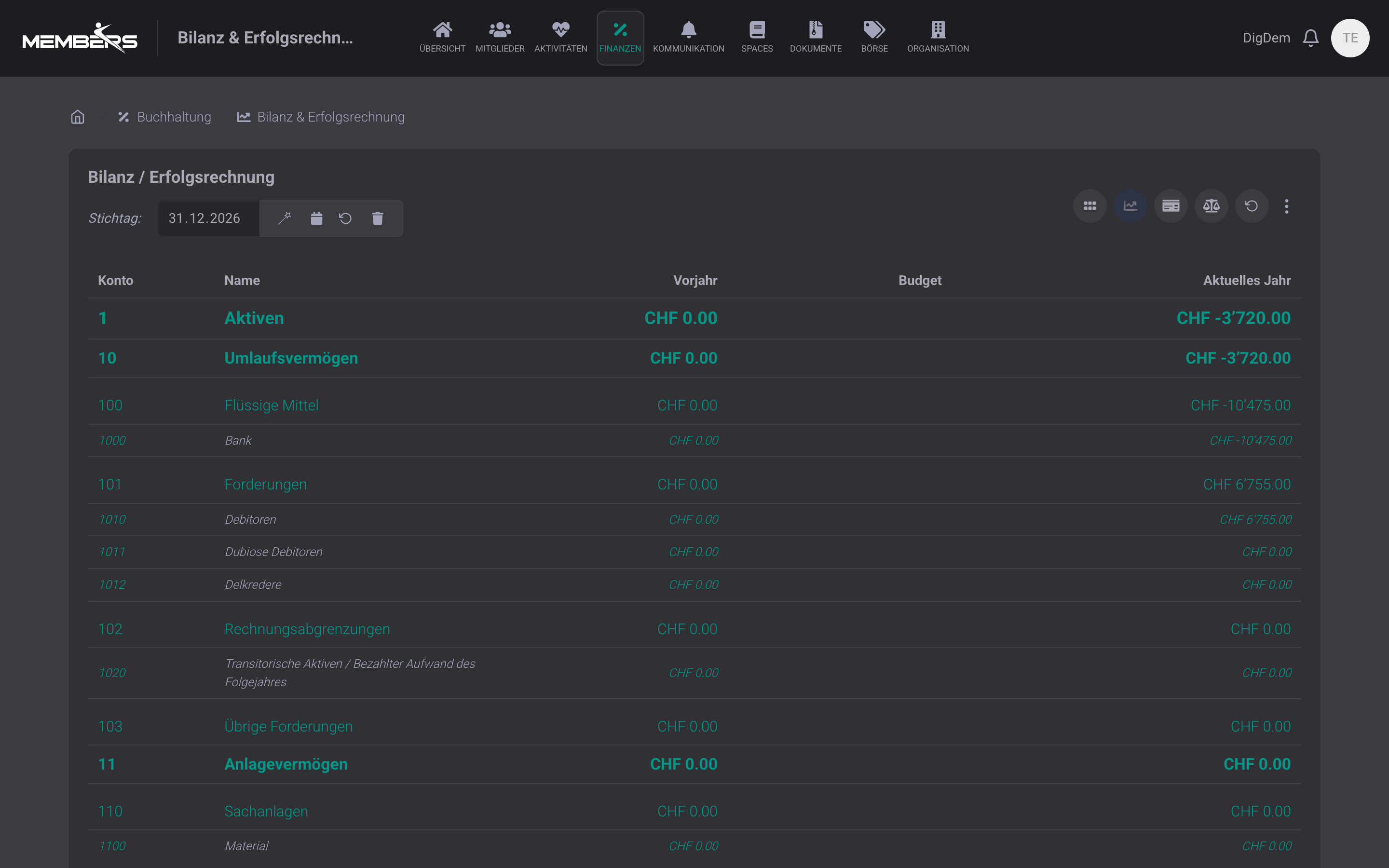
Balance sheet and income statement as of a key date, structured hierarchically according to the SME chart of accounts with assets, liabilities, income and expenses. Comparison to previous year and budget per account, export as PDF or Excel for auditors and the AGM.
Budget planning per account and period
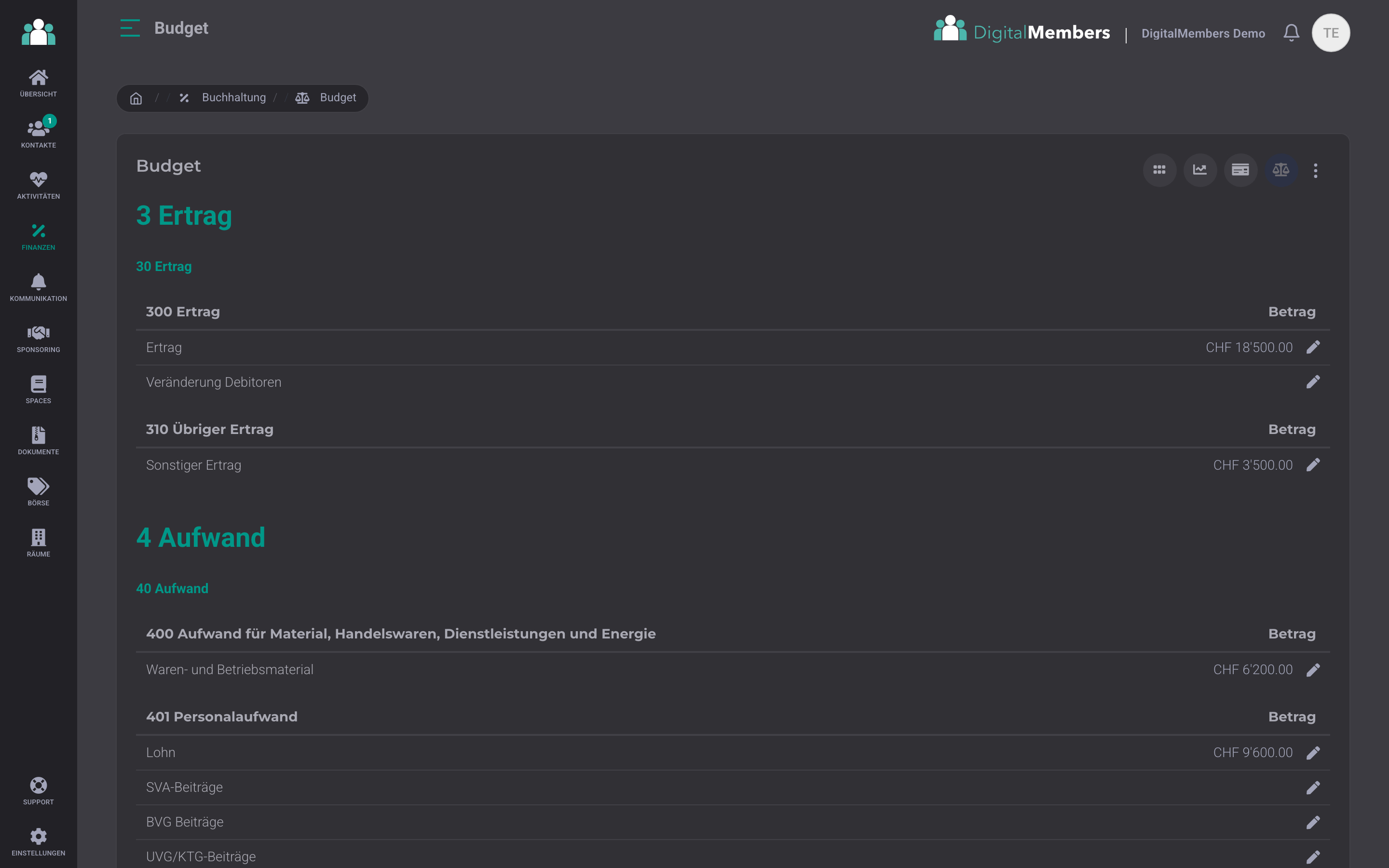
You enter a budget amount per account and period, directly in the hierarchical budget view. In the income statement, you can see at any time where the club stands compared to the budget. For the new club year, you present the budget at the general meeting as a PDF or Excel file, with previous-year figures if needed.
Financial reports for treasurer and auditor
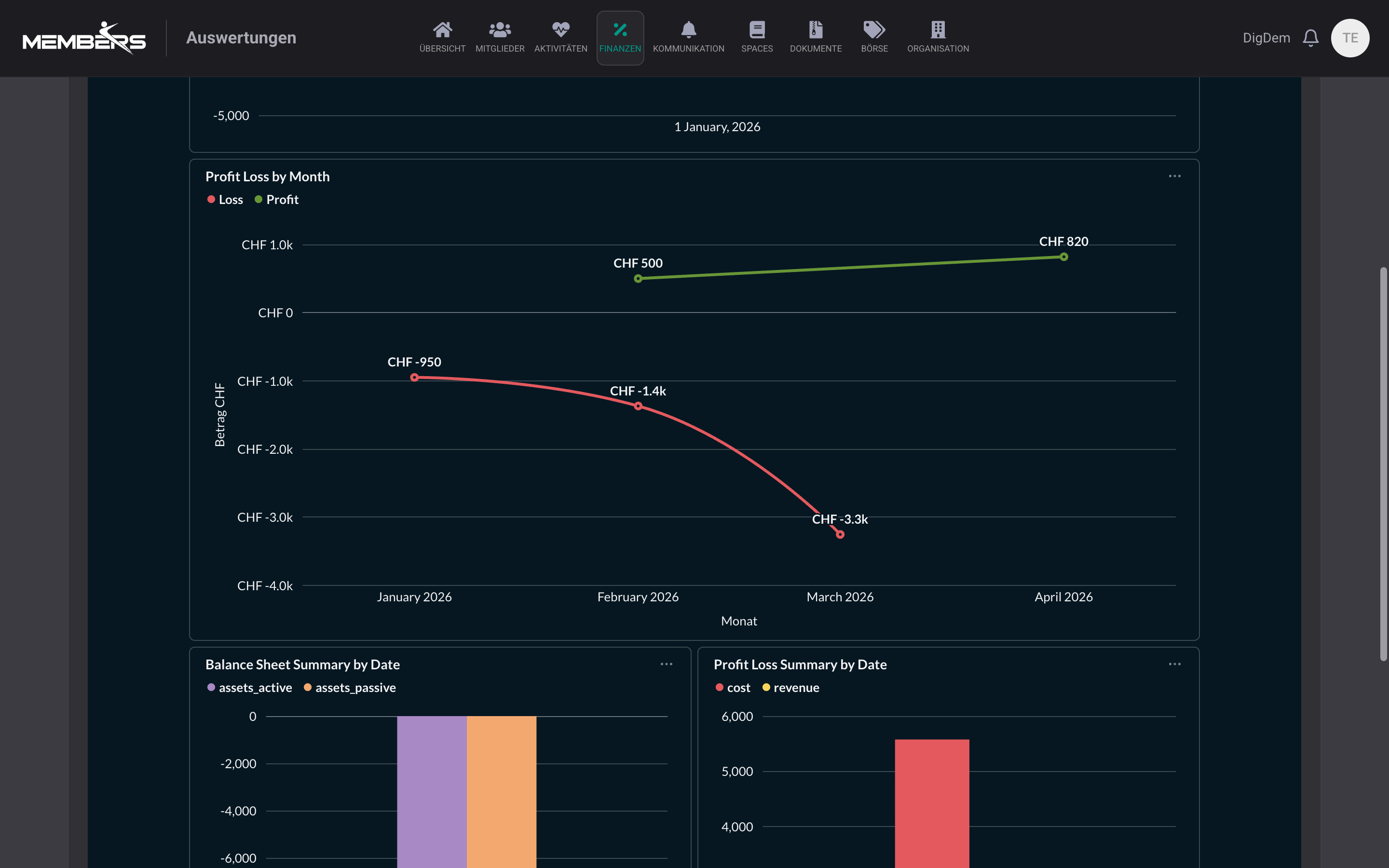
Financial analytics shows in seconds where invoices were paid twice, postings were booked to the wrong account, or budgets were exceeded. Per account, per period, per club module (membership fees, events, sponsoring). Auditor and treasurer get the numbers they need without manual Excel exports, and you can see before the AGM whether the income statement really adds up.
Additional accounting features
Details that make everyday life easier for the treasurer and auditor.
Sortable & importable chart of accounts
Hierarchical chart of accounts with drag & drop sorting: move accounts, renumber them, create new sub-accounts. Import an existing chart of accounts from Excel or CSV, or start from our Swiss club template (if you're starting from scratch). On request, we can personally carry over prior-year figures.
Automatic depreciation, straight-line or declining-balance
Depreciation on fixed assets (buildings, vehicles, sports equipment) runs automatically: straight-line over a fixed useful life or declining-balance with a rate that decreases each year. Configured once per asset, the platform creates the postings in the journal on the key date.
Audit flag with comment function
Each posting can be marked with a flag for the audit, incl. a comment field for notes (for example questions for the auditor or announced corrections). The auditor works through the flag list systematically instead of scrolling through the entire journal.
File upload per posting
For each posting you can attach as many supporting documents as you like as PDF, JPG or PNG: supplier invoices, receipts, contract documents. The files are stored directly on the posting; the auditor sees them with one click, without searching folders.
VAT return
If your club is subject to VAT, the accounting records VAT on accounts and receipts and automatically creates the return for the tax office.
Repeat previous-year entries
Rent, insurance, or association fees come back every year. Mark these entries as recurring, and when the new period starts, you can carry them all over with one click, with the same amount, account, and text, plus a new document number.
More finance modules
Invoices, expenses, payroll, and online payments are separate modules with their own pages, directly connected to accounting.
QR invoices
One-off and subscription invoices with Swiss QR code, automatic reminders, automatic payment reconciliation with the bank account, and sending by email or A Mail.
Expenses
Photograph receipts, AI extracts amount and creditor, treasurer approves, pain.001 payout into e-banking.
Leader compensation & payroll accounting
Settle leader compensation and coach salaries: AHV, IV, EO, ALV, UVG, BVG and withholding tax automatically, flat-rate expenses as per Circular 25, payout as Pain.001 to the club account.
TWINT & credit card
Members pay their invoice by QR invoice, TWINT or credit card. The payment is automatically matched to the open invoice.
Recommended by
 Tesla Owners Switzerland
 TSV Rohrdorf
 Altpfadi Adler Aarau
 Kunst- und Geräteturnen Kleindöttingen
 Radfahrerverein der Stadt Winterthur
 Turnverein Eien-Kleindöttingen
 Schwingerclub Rothenburg
Frequently Asked Questions
- What is club accounting?
- Club accounting records all of the club’s income and expenses and makes them transparent for the board, general meeting, and audit. Depending on the size, the treasurer keeps double-entry accounts with a chart of accounts, balance sheet, and income statement. With DigitalMembers, receipts, bank transactions, and membership fees flow directly into accounting instead of being added separately afterwards.
- Why does our association need association accounting?
- Bookkeeping is required by law for clubs and associations: Under Art. 69a of the Swiss Civil Code, the board must keep the accounts in line with the rules of the Swiss Code of Obligations. Small associations may keep simple accounts covering income, expenses, and assets. If the association is entered in the commercial register or is subject to an audit requirement, double-entry bookkeeping with a balance sheet and income statement is required. There is also the practical side: the general meeting approves the annual accounts, and the auditors review them. Both require clean bookkeeping.
- Do we need separate accounting software?
- Full double-entry accounting is integrated into DigitalMembers: chart of accounts, journal, balance sheet, income statement, budgeting, payroll accounting, expenses and bank import. Everything in the same platform where your member list also lives, without an additional software licence.
- Can the auditors or an external accountant work with DigitalMembers?
- Yes. You create a separate login for the auditors or external accountant, with permission for accounting only. This lets both work directly in DigitalMembers, with the journal, balance sheet, income statement, and all receipts attached to the entries. Anyone who prefers to work offline can export everything as PDF or Excel, anytime, per period.