Course management for your club
Courses are recurring events: you plan the series once, and all sessions are created from it. Plus a registration catalogue for your members and automatic billing for participation. From announcement to invoice in one flow.
Course series & sessions
One course, many sessions: you plan the whole series at once, including location and course leader.
Registration catalog
Your members see all open courses in a catalog and register directly.
Automatic billing
Participation is billed automatically, with QR invoice and all common payment methods.
Recommended by
 Tesla Owners Switzerland
 TSV Rohrdorf
 Altpfadi Adler Aarau
 Kunst- und Geräteturnen Kleindöttingen
 Radfahrerverein der Stadt Winterthur
 Turnverein Eien-Kleindöttingen
 Schwingerclub Rothenburg
What you can cover with courses
A course is a recurring event, so a series of sessions with a fixed group of participants: the swimming course over ten weeks, the weekly rehearsal, the semester programme. You plan the series once, and all individual sessions are created from it.
Registration, participant list, attendance and billing are then linked to the course. You manage one-off occasions like the annual general meeting or the summer party as an event instead.
Create courses, registrations run by themselves
You create the course once, define the sessions and the price. Registrations, participant list and billing then run through the platform. Participants are directly linked to member management.
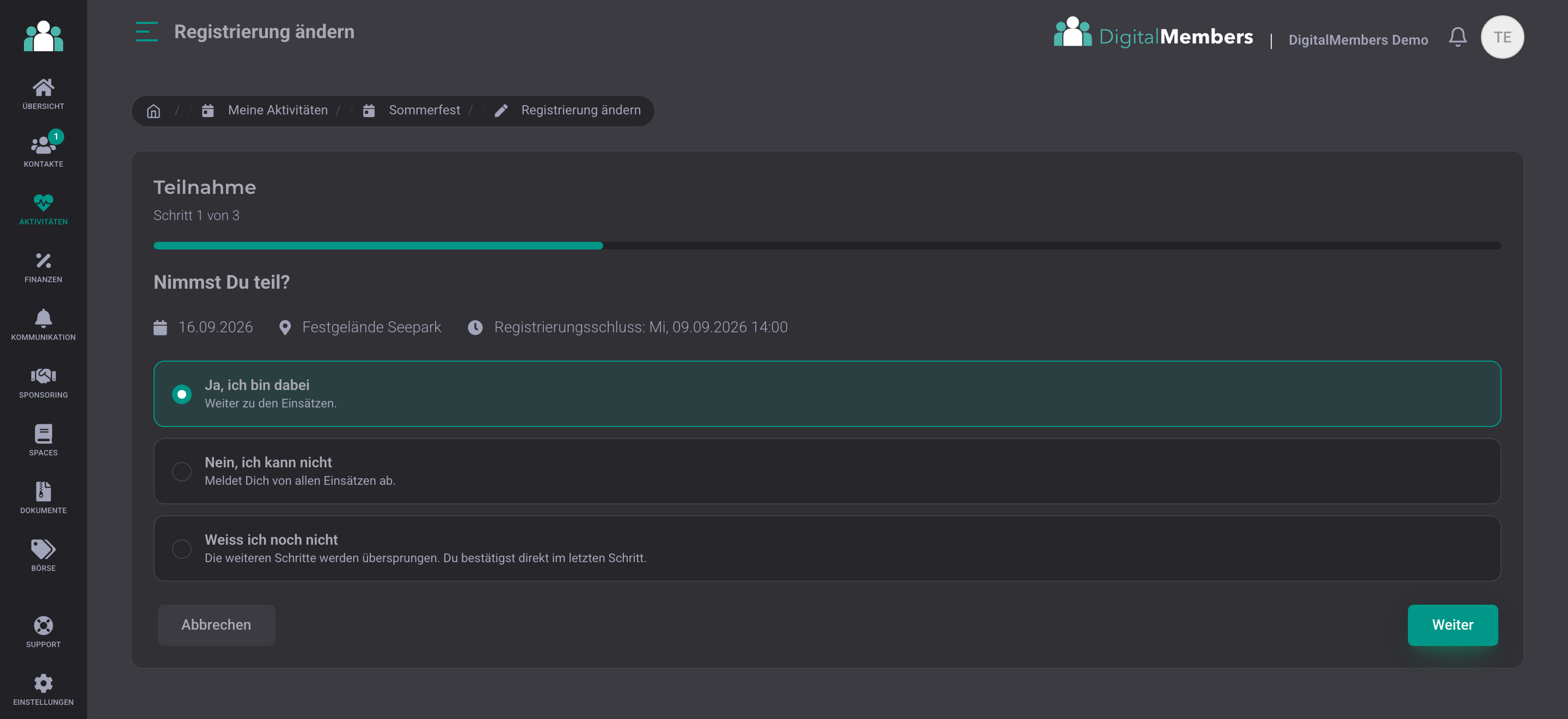
Guided registration and deregistration
Participants answer in just a few steps whether they are joining and choose their assignments at the same time. Anyone who declines is deregistered from the entire course session.
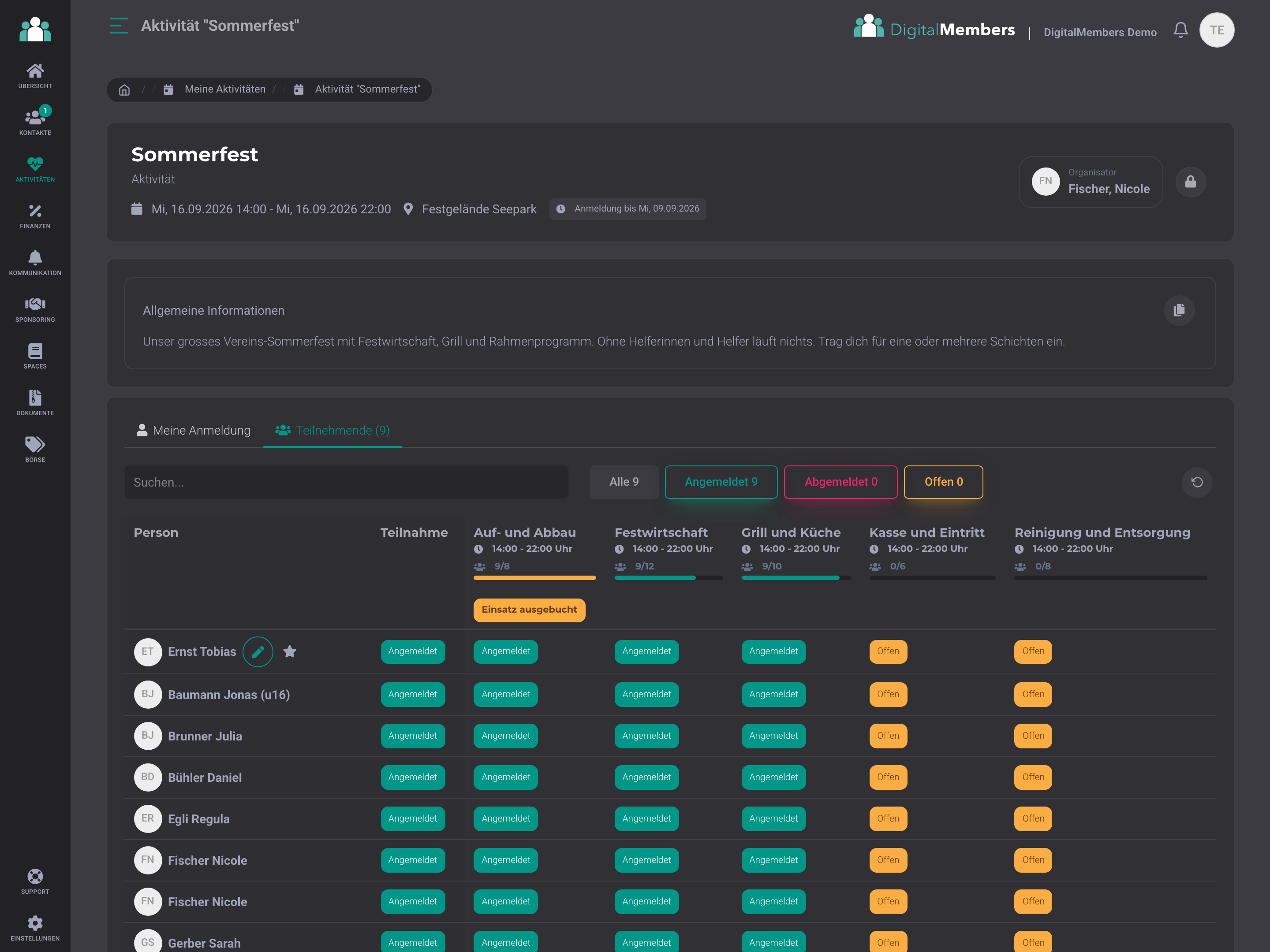
Keep an eye on participants
One row per person, one column per assignment: you immediately see who has confirmed and who still needs to respond. The capacity usage of each assignment is shown next to it, and you can change a registration directly from the list.
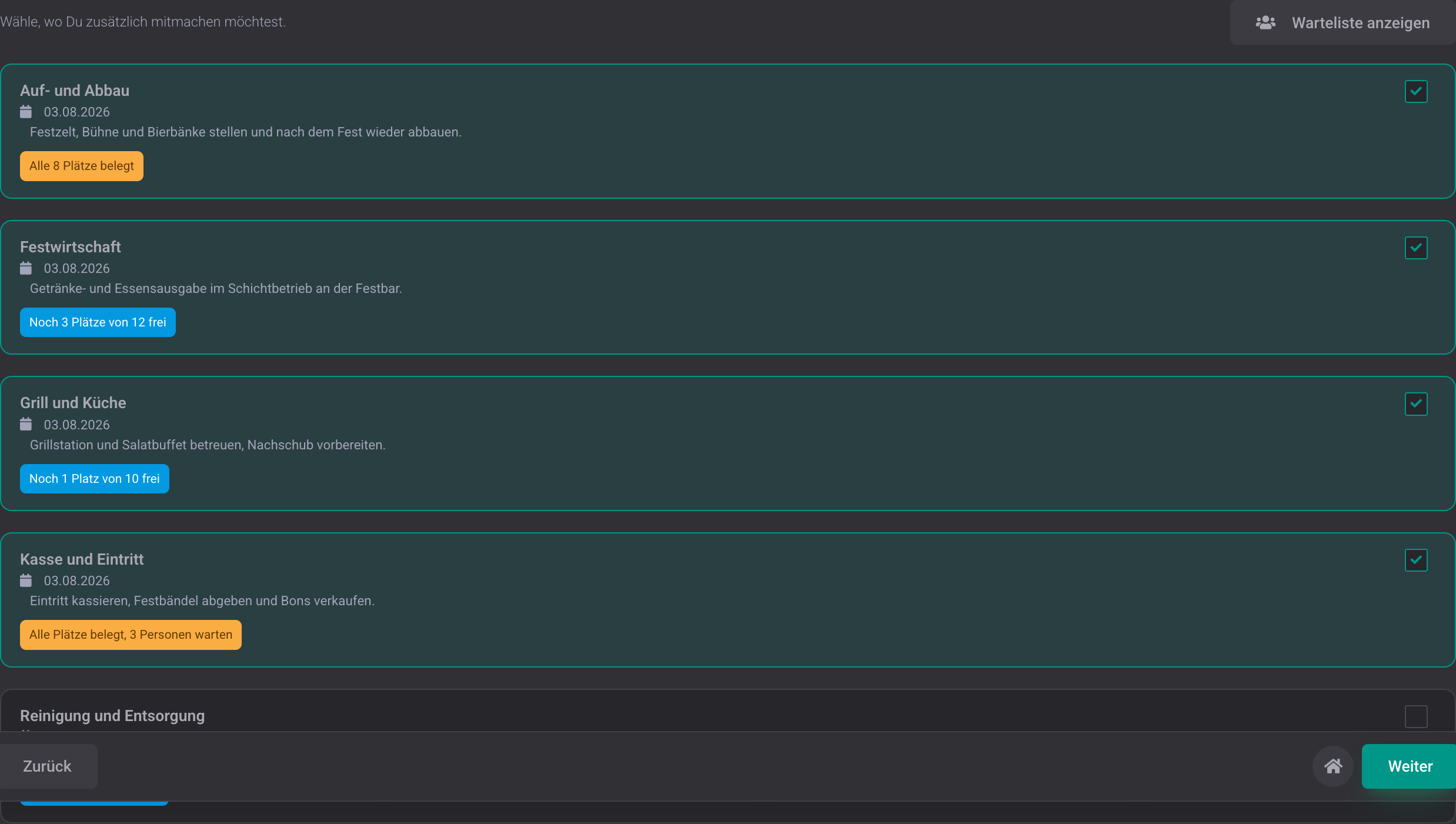
Waiting list instead of rejected registrations
If a course is full, registration still works: anyone who signs up later is placed on the waiting list and automatically moves up whenever someone cancels. This setting applies to all dates of the course. For each date, you can see how many spots are taken and how many people are waiting, without having to update anything yourself.
Enter school holidays once, pause sessions automatically
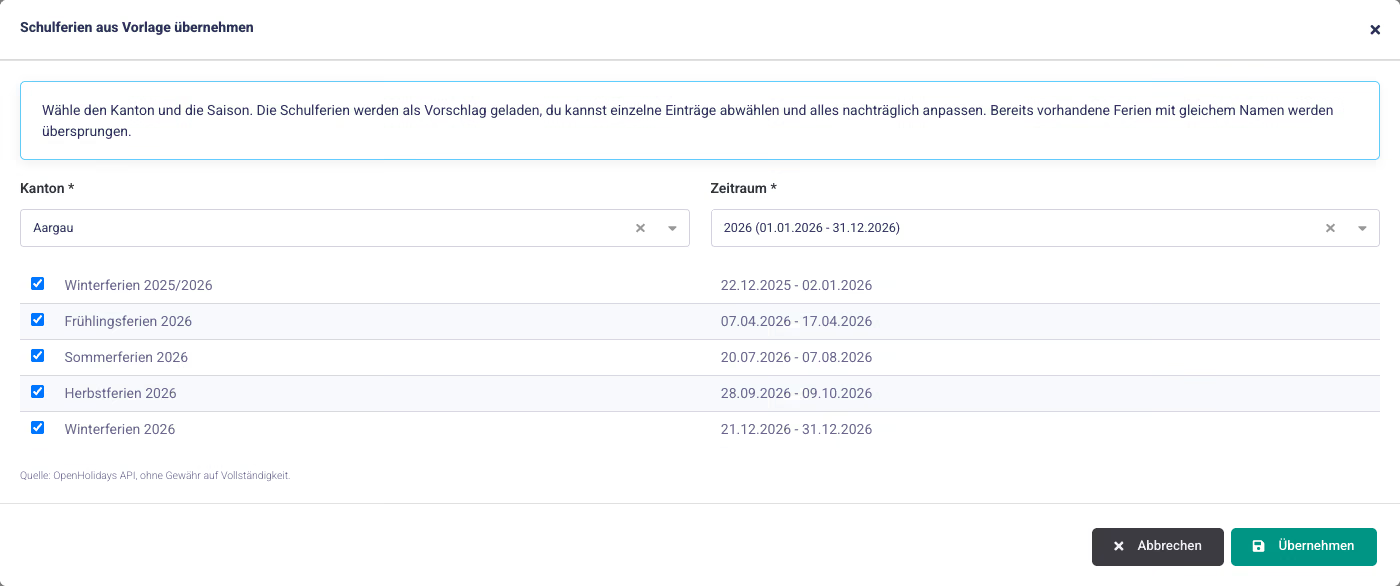
Choose your canton and the season, and the school holidays are available in the club. Course sessions that fall during the holidays are automatically cancelled and show the reason. For each schedule, you decide whether the holidays apply. This lets the children's course pause while the adult course continues.
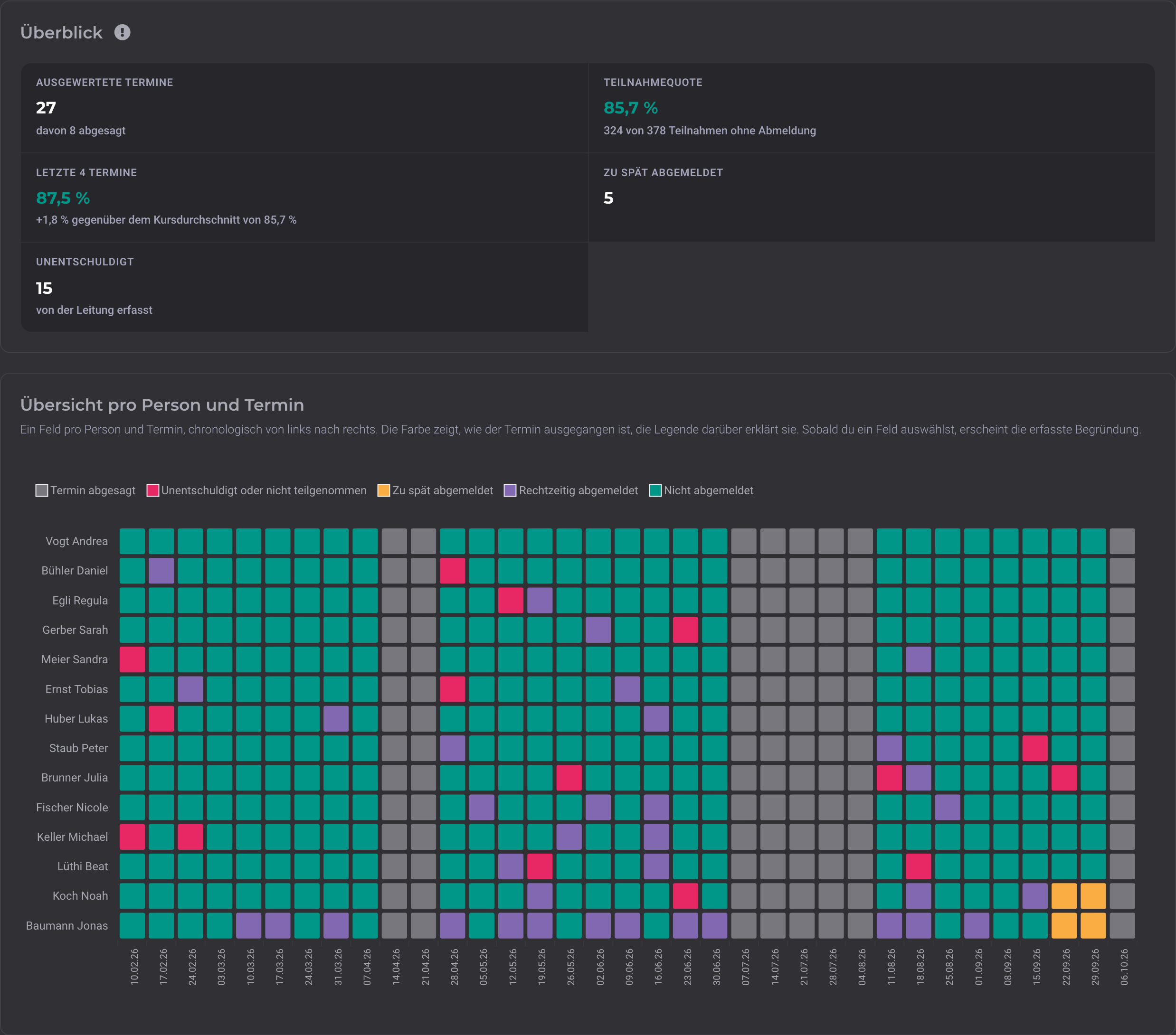
Analysis per course: rate and cancellations per person
The Evaluations tab shows the attendance rate, cancellations, and unexcused absences for each course, plus the rate for the last four dates compared with the course average. A colored field for each person and date makes it clear who attends regularly and where gaps are building up. Anyone who has missed three dates in a row or has attendance below 60 percent appears under "Recently no longer attending". A quick check-in helps keep participants in the course.
Course leader informs their group
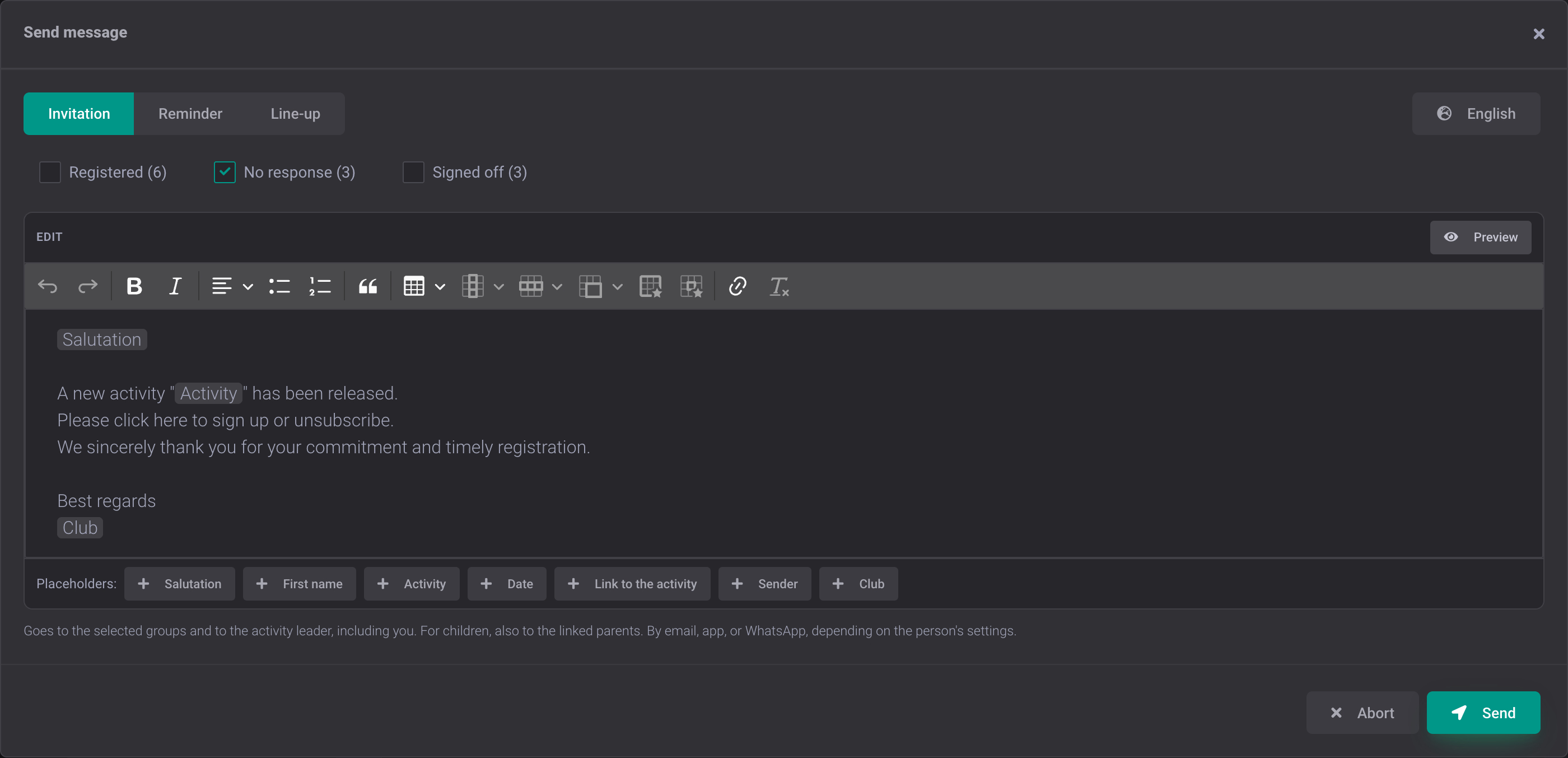
The course leader writes to participants directly from the lesson: invitation, reminder, or call-up, with a pre-filled template and personal salutation for each person. If a lesson is moved, they adjust the time and location themselves and inform everyone with one click. If the lesson is cancelled, they cancel it with a reason, without the board having to step in.
Course series with all sessions
One course, many sessions: you plan the series once, and all individual sessions are created with location and calendar entry.
Seasons for courses and dates
Each season bundles its courses and dates, whether calendar year, school year, or semester. You switch between seasons with one click, copy a course including its timetable to the next one, and get started without re-entering everything.
School holidays automatically taken into account
Apply your canton’s school holidays from a template. Course dates during the holidays are automatically marked as cancelled, and participants see the reason right away. No more cancelling by hand, date by date.
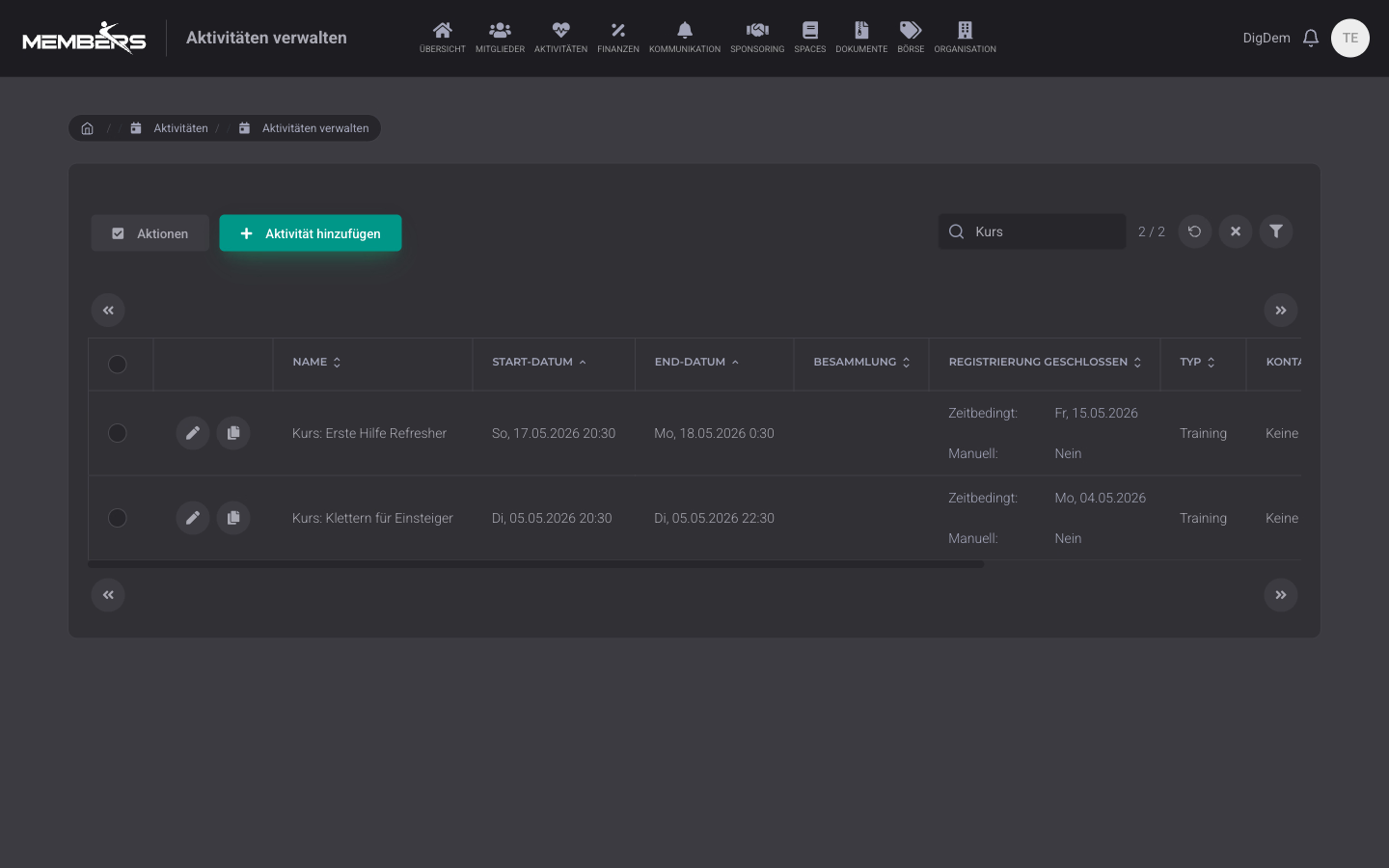
Course catalog with self-registration
Open courses appear in a catalog. Members see the content, dates, price, and available spots, and sign up directly.
Manage the participant list
You assign participants individually, import them from a list, or let them sign up themselves.
Participants from a team
Link the course to a team from member management, then the participant list is created automatically and stays up to date.
Feedback per session
For each session, it is recorded who was registered and who cancelled. The feedback is kept, even if someone leaves the course later.
Absent without excuse and cancelled too late
For each session, you record who was absent without an excuse. The software detects late cancellations on its own as soon as a registration deadline is set.
Spots and registration deadline
For each course, you set the number of spots and the registration deadline, optionally limited to a specific group.
Flexible prices per participant group
Members, children, external people: you set different prices for each course. The invoice is created automatically with the right amount.
Course leaders with their own access
You enter the course leader for each course. They see their own courses, record attendance, inform participants, and are compensated for their assignment.
Jugend+Sport export
For Jugend+Sport, you export the participation data from your courses as an Excel file and submit it to the registration office.
Frequently Asked Questions
- What is the difference between courses and events?
- An event is a one-off occasion, for example the summer party. A course is the recurring version of it: a series of sessions with a fixed group of participants, for example a swimming course over ten weeks. You manage both in the Events module.
- Can external people also register for a course?
- Yes. People who are not yet members can also register via a public registration form. After your approval, they appear in the member list.
- Can I record attendance for each course session?
- Yes. For each session, you record who was present. This creates participation statistics per person and course, which you can export for the annual report or an association submission.
- How do I plan the next season?
- Courses and dates always belong to a season, for example the calendar year or the school year. For the next season, you copy a course with its timetable and, if you like, with the participants, adjust the dates, and all dates are created again. Attendance statistics remain available for analysis per season.
- What happens to course dates during the school holidays?
- You apply your canton’s school holidays from a template or enter your own holidays. Dates that fall during the holidays are automatically marked as cancelled and show the reason, for example autumn holidays 2026. For each timetable, you decide whether the holidays apply. This way, the children’s course pauses while the adult course continues.
- How exactly does the Youth+Sport connection work?
- Via Excel export. Lists of participants and hours are recorded in the app and exported with one click as a J+S-compatible Excel file, which you import directly into the NDS portal. There is no official NDS interface.
Start with course management for your club
Try it free for 14 days, no credit card required.
Try for free