Club calendar, always up to date on your smartphone
Dates from events, courses and volunteer shifts land straight on every member’s smartphone. Connect once, always up to date.
Multiple calendars at once
For example, you can have a separate calendar for each team. You add a shared event to several calendars at the same time in one step, instead of entering it separately everywhere.
Recurring series
Courses every Tuesday, monthly meetings, event series throughout the year: create them once and all individual dates appear automatically.
Automatically in Google Calendar
Every event is automatically synced with Google Calendar. You manage everything in one place, and members can see it everywhere.
Yearly view for everyone
All club dates in a yearly view, filterable by list or category.
Subscribe straight to your smartphone
Members subscribe once, then all club dates land directly in their calendar app.
Export annual program
All events from a calendar or period as an Excel file, for the board, the annual review, or registration lists.
Recommended by
 Tesla Owners Switzerland
 TSV Rohrdorf
 Altpfadi Adler Aarau
 Kunst- und Geräteturnen Kleindöttingen
 Radfahrerverein der Stadt Winterthur
 Turnverein Eien-Kleindöttingen
 Schwingerclub Rothenburg
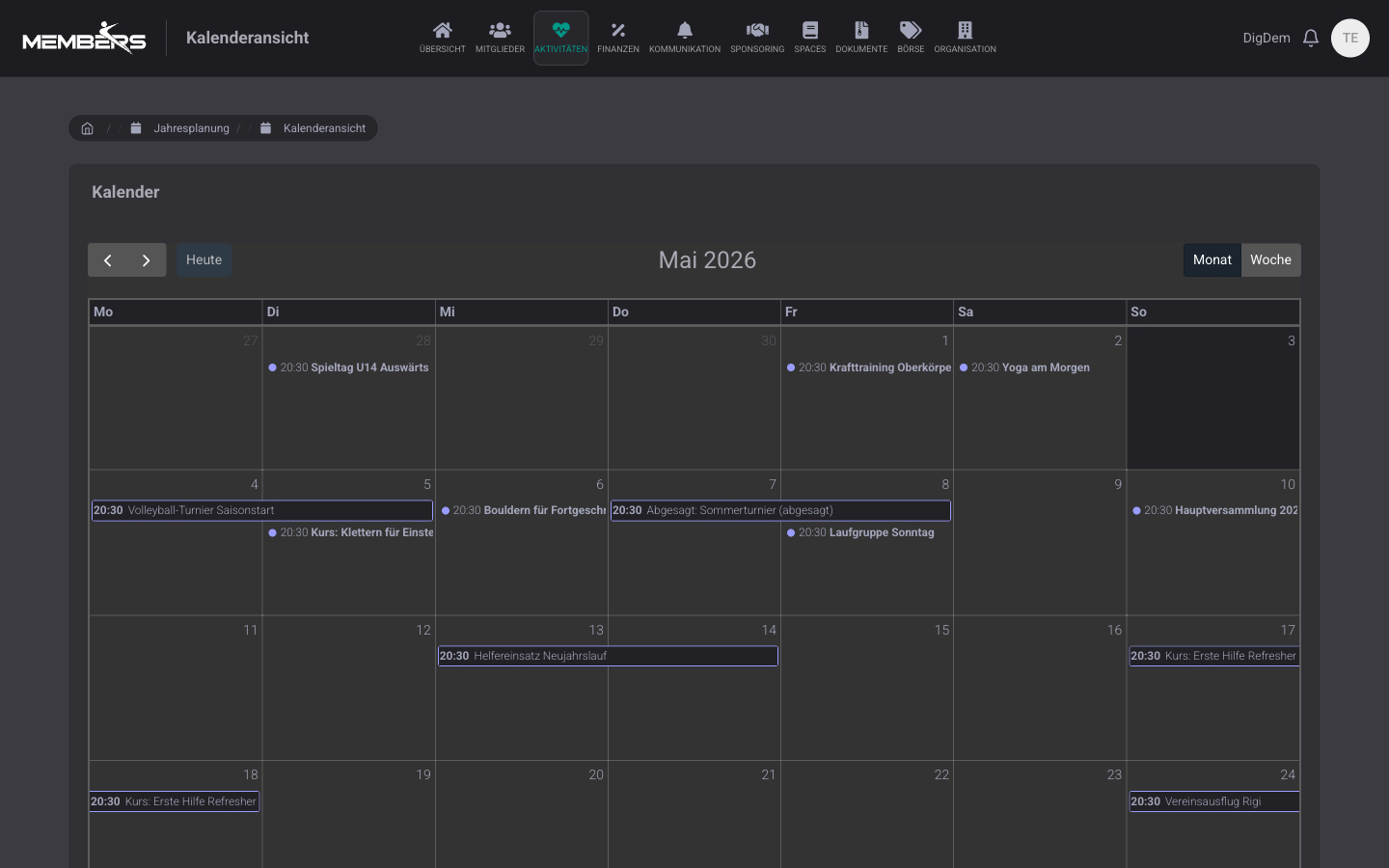
Yearly view with all club dates
Events, courses and helper assignments automatically flow into the annual view. Categories filter by team so leaders only see their own group.
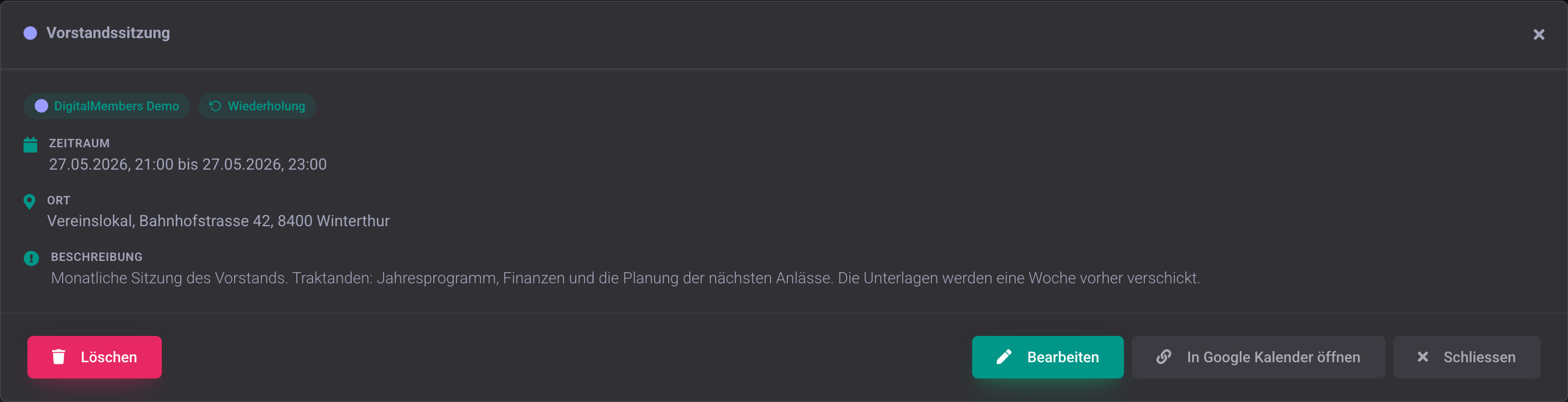
Edit events directly in DigitalMembers
A click on an event in the calendar shows all details clearly. From there, you can edit or delete it directly, either individually or as a whole series. Whatever you change is instantly up to date for all members.
Frequently Asked Questions
- What do members need for the calendar?
- A free Google account for the club is enough. Members don’t need one themselves; the calendar then shows up on iPhone, Android and desktop.
- Can I export the calendar to Excel?
- Yes. Per calendar or period, you can export all appointments as Excel for the board, annual review or registration lists.
All club events, always up to date
One calendar for the whole club, automatically on every member's smartphone.
Try for free