Club wiki, meeting minutes & task lists in one
The knowledge repository for your club: meeting minutes, regulations, task lists, and frequently asked questions in one place. Everything stays with the club, even when the committee changes.
A board for every club project
This is what a board looks like, a digital pinboard: the summer festival with the columns "Planned", "In progress", and "Done". Each task is a card with a priority and a responsible person. The whole committee can see at a glance what is coming up and what has already been done.
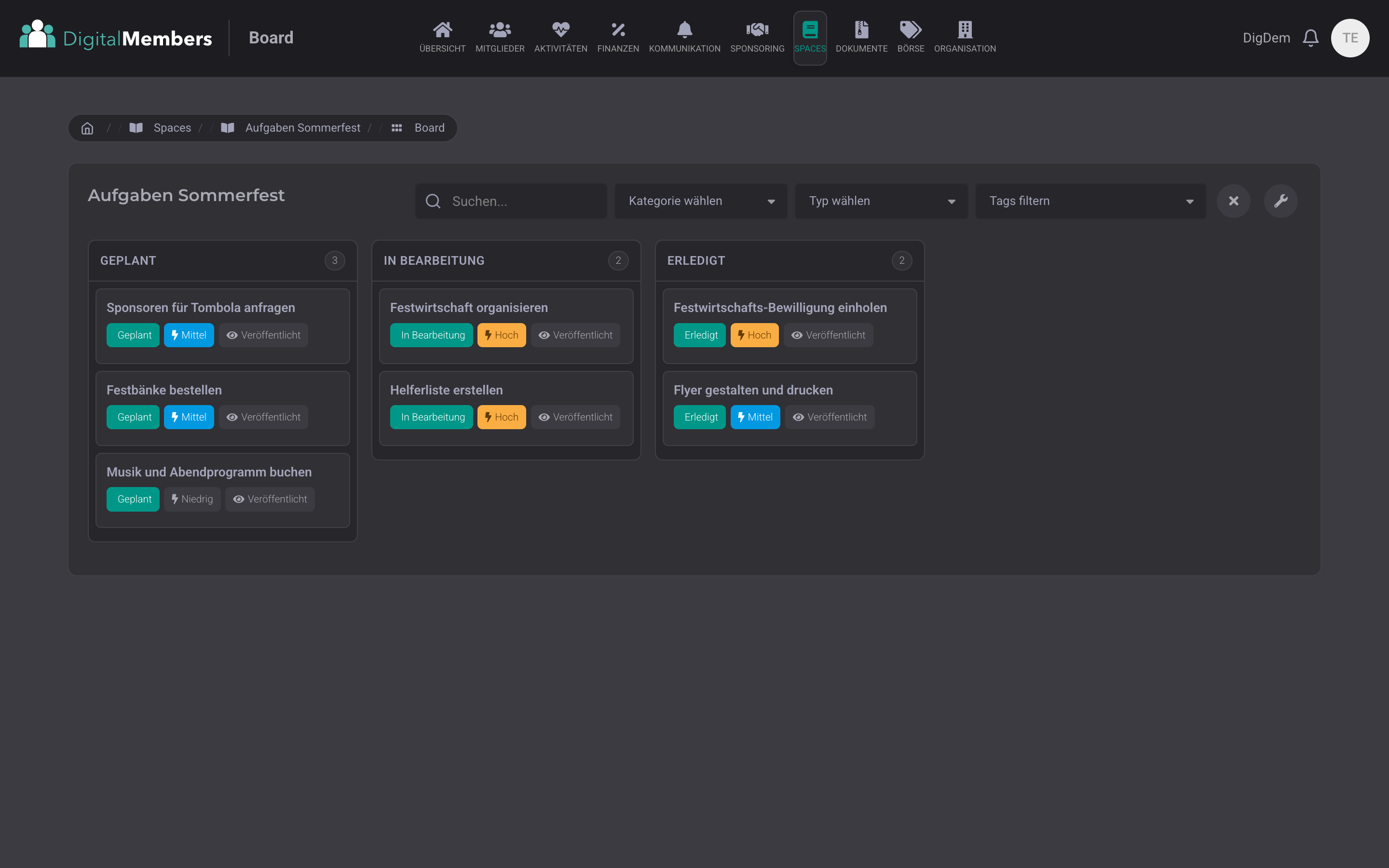
Tasks as cards on a pinboard
Each task is a card that you move from column to column with the mouse: from planned to in progress to done. For example for the summer festival: permit, helper list, and festival benches, each task as its own card.
Integrated into DigitalMembers
Your club members are automatically included, with the access they already have. Everything runs in the same platform as the member list and accounting.
Recommended by
 Tesla Owners Switzerland
 TSV Rohrdorf
 Altpfadi Adler Aarau
 Kunst- und Geräteturnen Kleindöttingen
 Radfahrerverein der Stadt Winterthur
 Turnverein Eien-Kleindöttingen
 Schwingerclub Rothenburg
Where do you put all that club knowledge?
Club knowledge is usually exactly where nobody is looking: in old WhatsApp groups, in documents on three different computers, in the personal notes of the president. When the treasurer steps down, half the bookkeeping routine disappears too. When a new member joins the committee, they start from zero.
Spaces is the club's knowledge repository: the place where everything a club knows about itself is stored. Regulations and statutes, meeting minutes with decisions, answers to frequently asked questions from new members, annual planning as a task list. Everything is searchable and directly connected to the member list.
Four views for the same content
Each board shows its entries in four views: as a pinboard with columns, as a list, as a timeline, or as an expandable question and answer list. You switch with one click, depending on whether you are planning, searching, or looking something up.
Pinboard: cards in columns (Kanban)
Each task is a card that you move between columns with the mouse: "Planned", "In progress", "Done", or your own stages. Each card shows the title, priority, and responsible person. For example for the committee agenda, summer festival planning, or the editorial plan for the club magazine.
List: everything one below the other
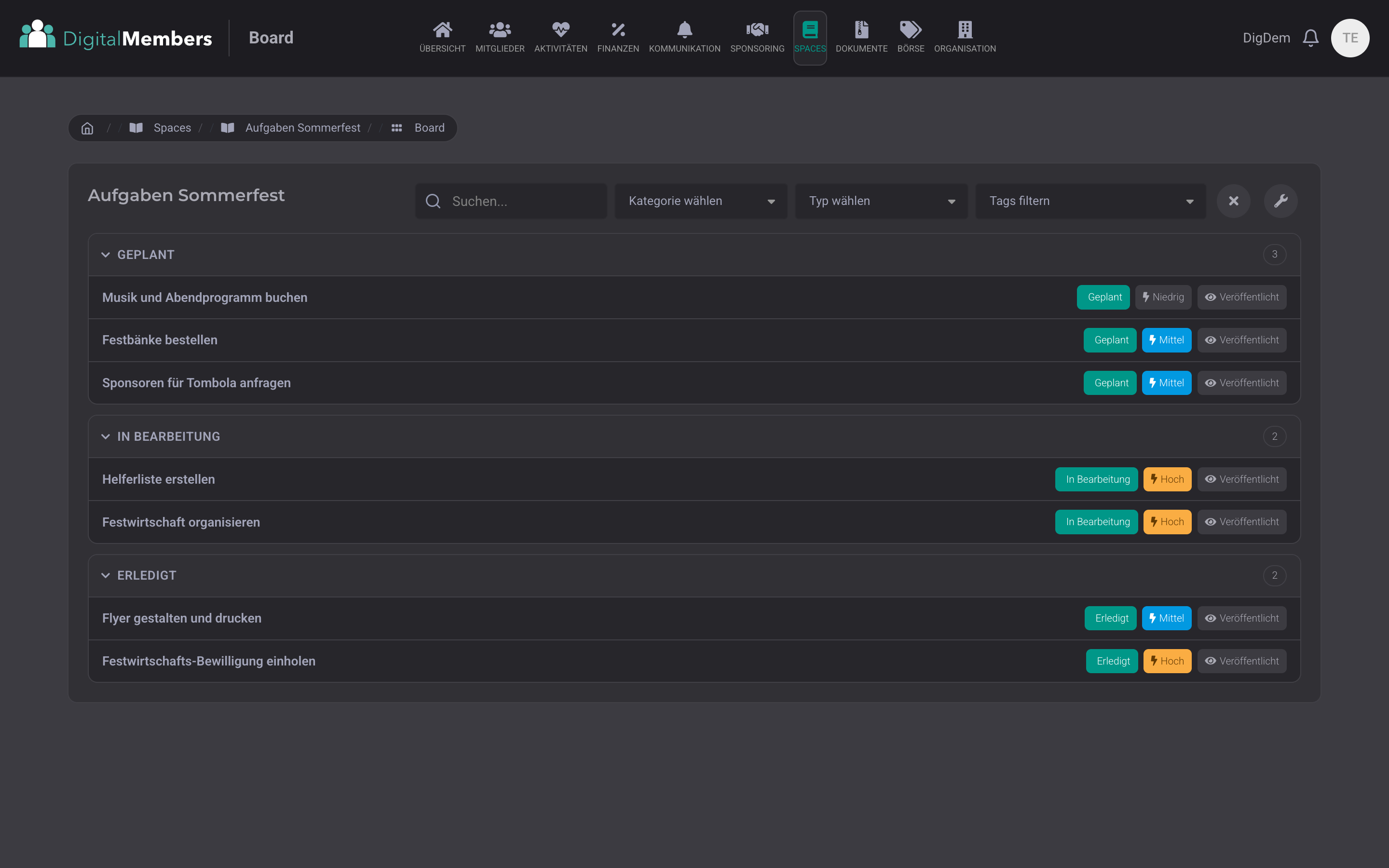
All entries as a clear list, grouped by progress. In each row you see the title, priority, date, and who is responsible. Practical for the committee meeting: go through the list, check the status, done.
Timeline: chronological like a history
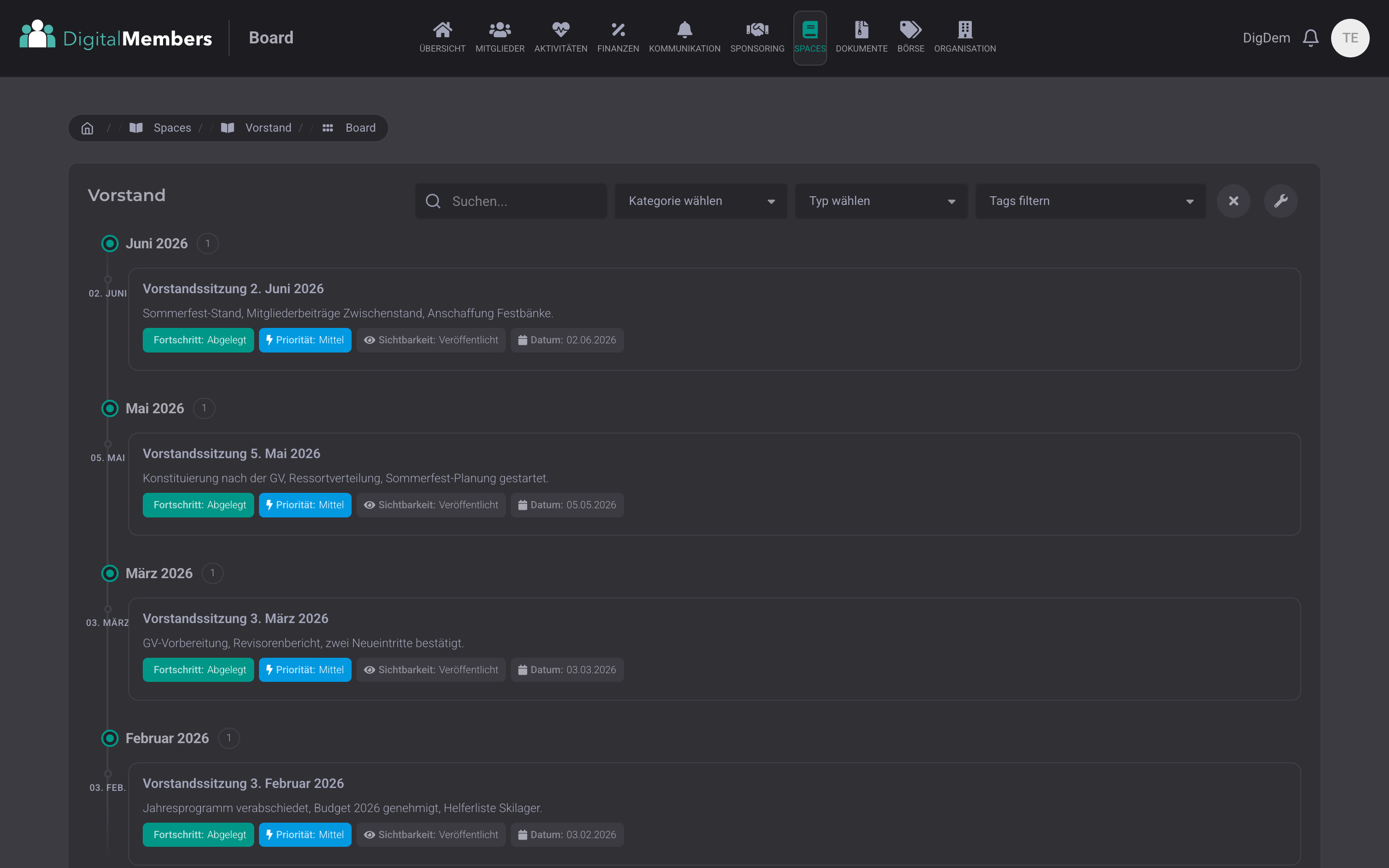
Entries ordered by month and year, with the newest at the top. For example for meeting minutes, the annual review, or the club history: what happened when, at a glance.
Question and answer: expandable
The title is the question, the answer opens when clicked. For example for the frequent questions from new members: Where can I find the course programme? How do I cancel? Answered once, always findable. Also public on your club page if you want.
The same tasks, sorted as a list
One click switches the view: the same cards appear as a compact list, grouped by progress. Handy for the committee meeting: go through the list, check the status, done.
Meeting minutes in chronological order on the timeline
One set of minutes per committee meeting with agenda items, decisions, and tasks, automatically grouped by month. With tags, you can find every decision again in seconds. When the committee changes, everything is kept: the successors can read the minutes from recent years directly in the knowledge repository.
Spaces live in action
Our own guide, frequently asked questions, updates, and the DigitalMembers roadmap all run on Spaces. Have a look at them live.
Create a space, pick a board, get going
Your own knowledge repository, your own task list, your own club history. Set up in 10 minutes.
Try for freeComments, assignments & attachments
Comments under every entry, tasks with a responsible person, file attachments, and texts with formatting like in Word: headings, lists, tables, and images. For example, the quote for the festival benches is attached directly to the task, and the treasurer comments the approval underneath.
Order with categories and tags
Categories group entries like tabs in a folder, while tags help you find things across all topics. For example: category meeting minutes, tag budget. One click shows every budget decision from all years.
You decide who sees what
For each board, you decide who can read, comment, or edit. For example: only the committee sees the meeting minutes, all members see the frequently asked questions, and the club handbook is public.
Frequently Asked Questions
- What’s the difference between a Space and a Board?
- A Space is the knowledge repository, for example for the committee or the summer festival. A board is a pinboard or list inside it. You can create as many boards as you like per Space, each with its own view and access rights. Typical setup: one board for current tasks and one for the minutes in the same Space.
- Is Spaces really a Trello alternative?
- Yes. Moving cards with the mouse, columns by progress, priorities, assignments, comments, and attachments work like in Trello. The difference: it lives in the same system as your member list, invoices, and communication, and the club does not need an extra program.
- How do we control who can do what?
- Each board has four roles: Reader (read only), Commenter (read and comment), Editor (create and change entries) and Owner (can do everything). You add members individually or as an entire list, for example all committee members at once.
All your club knowledge in one platform
Try it free for 14 days, unlimited Spaces and boards, all four views included.
Try for free