Your own email addresses for your club
Mailboxes for sending and receiving for the treasurer and board, invoices from treasurer@ and a delivery report for every message. With webmail, on mobile and included in every licence.
Mailboxes for sending and receiving
With webmail and on mobile, for every person on the board.
Your own domain in every licence
Addresses like info@your-club.ch at no extra cost, with the transfer completed without losing any mail.
Dedicated senders for invoices and messages
Invoices come from treasurer@, admissions from secretariat@, and replies land directly with the right person.
You see whether every message arrives
The delivery report shows per member whether the message arrived and was read.
Recommended by
 Tesla Owners Switzerland
 TSV Rohrdorf
 Altpfadi Adler Aarau
 Kunst- und Geräteturnen Kleindöttingen
 Radfahrerverein der Stadt Winterthur
 Turnverein Eien-Kleindöttingen
 Schwingerclub Rothenburg
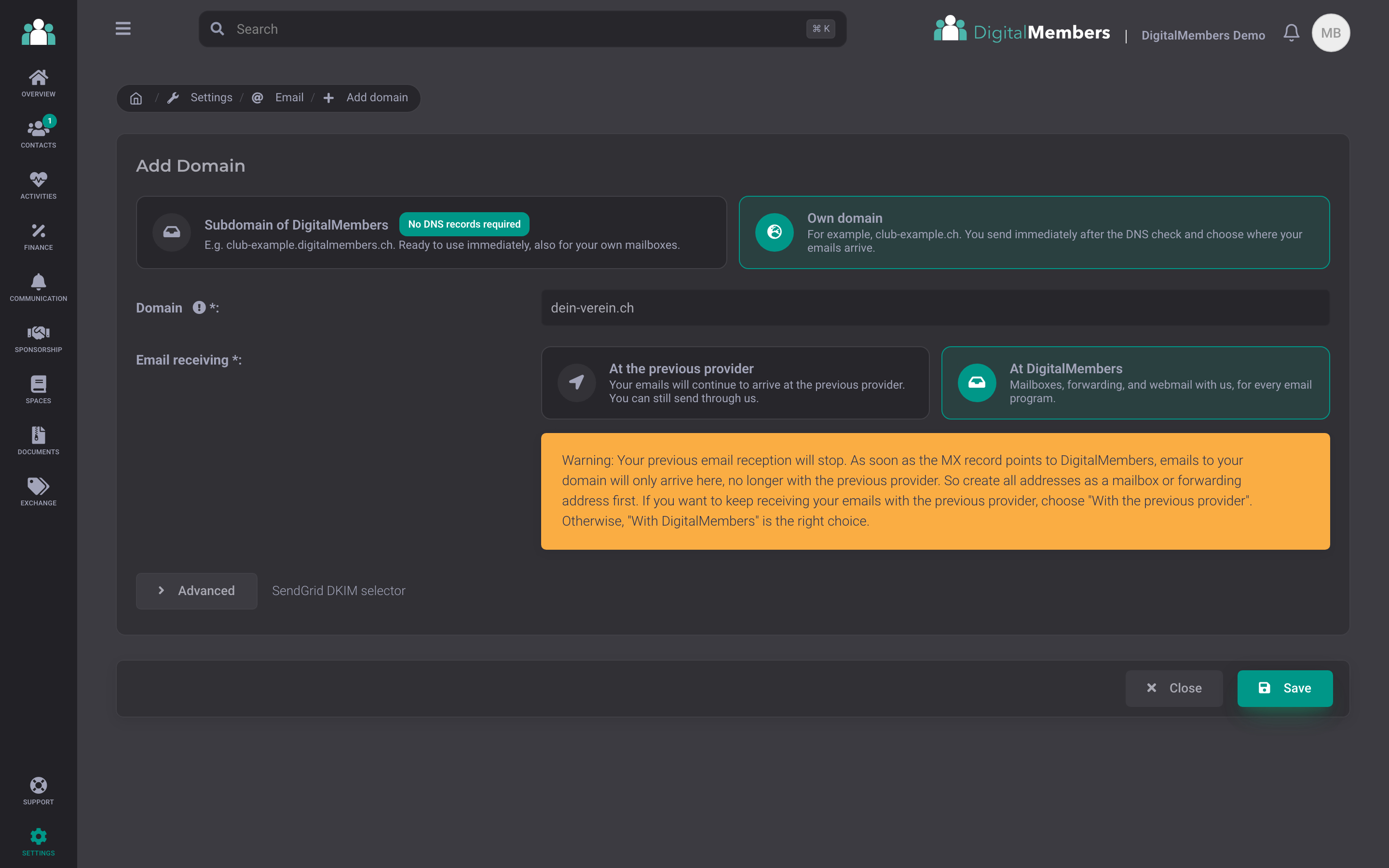
Choose domain
Start with the address on your subdomain, for example your-club.digitalmembers.ch, or use your own domain like club.ch. DigitalMembers shows you which entries to add at your domain provider and checks them automatically.
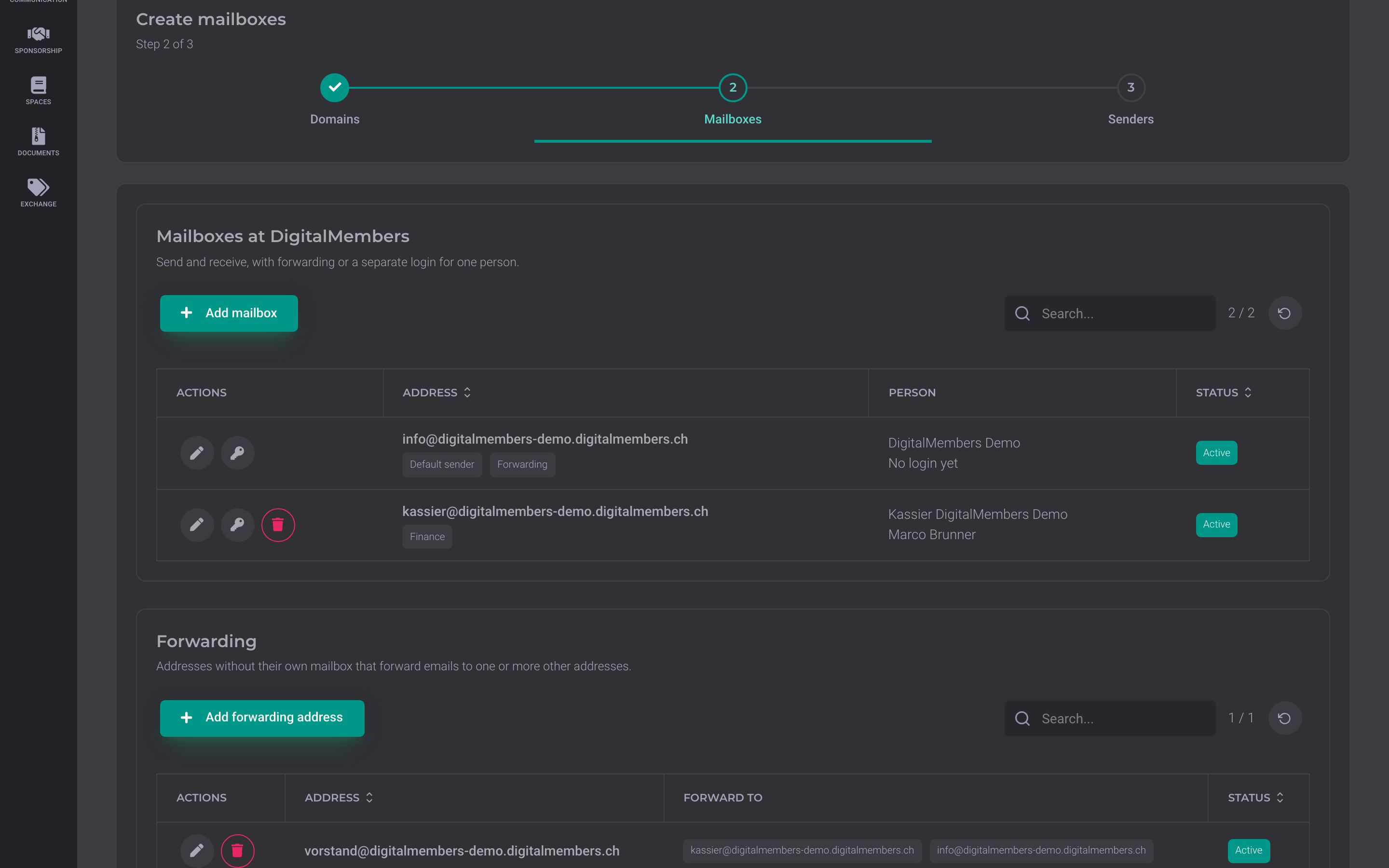
Create mailboxes
Create a mailbox for each role, such as treasurer@, and assign it to a person. Forwarding addresses like board@ distribute mail to several people.
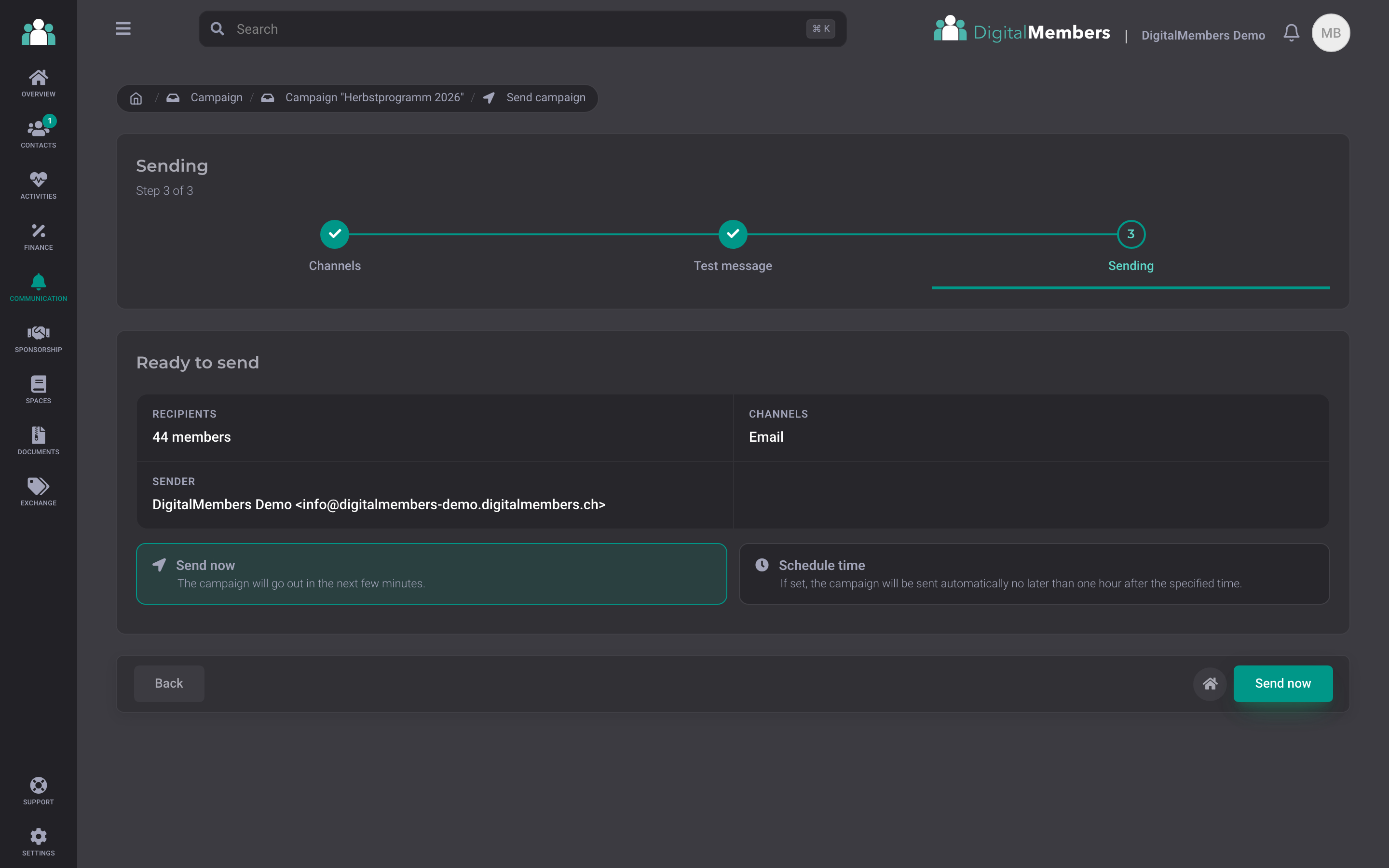
Send message
When sending a campaign, you see who it goes to and from which address. Messages go out from info@, invoices automatically from treasurer@, and replies land in the right mailbox.
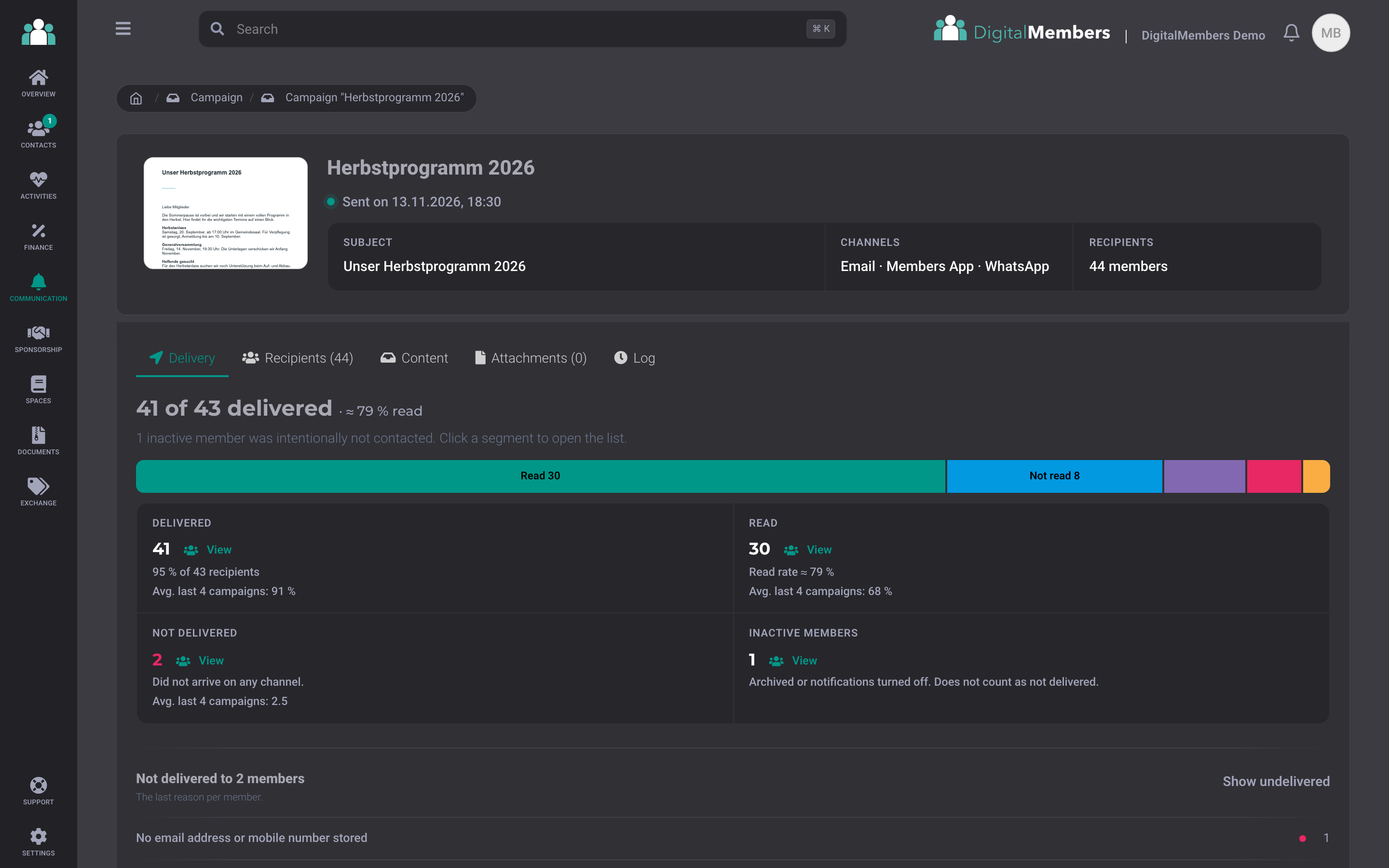
Show analyses
After sending, you see for each message how many members have received and read it, and where an address is incorrect. This lets you reach those members directly through another channel.
Set up the club mailbox directly in the app
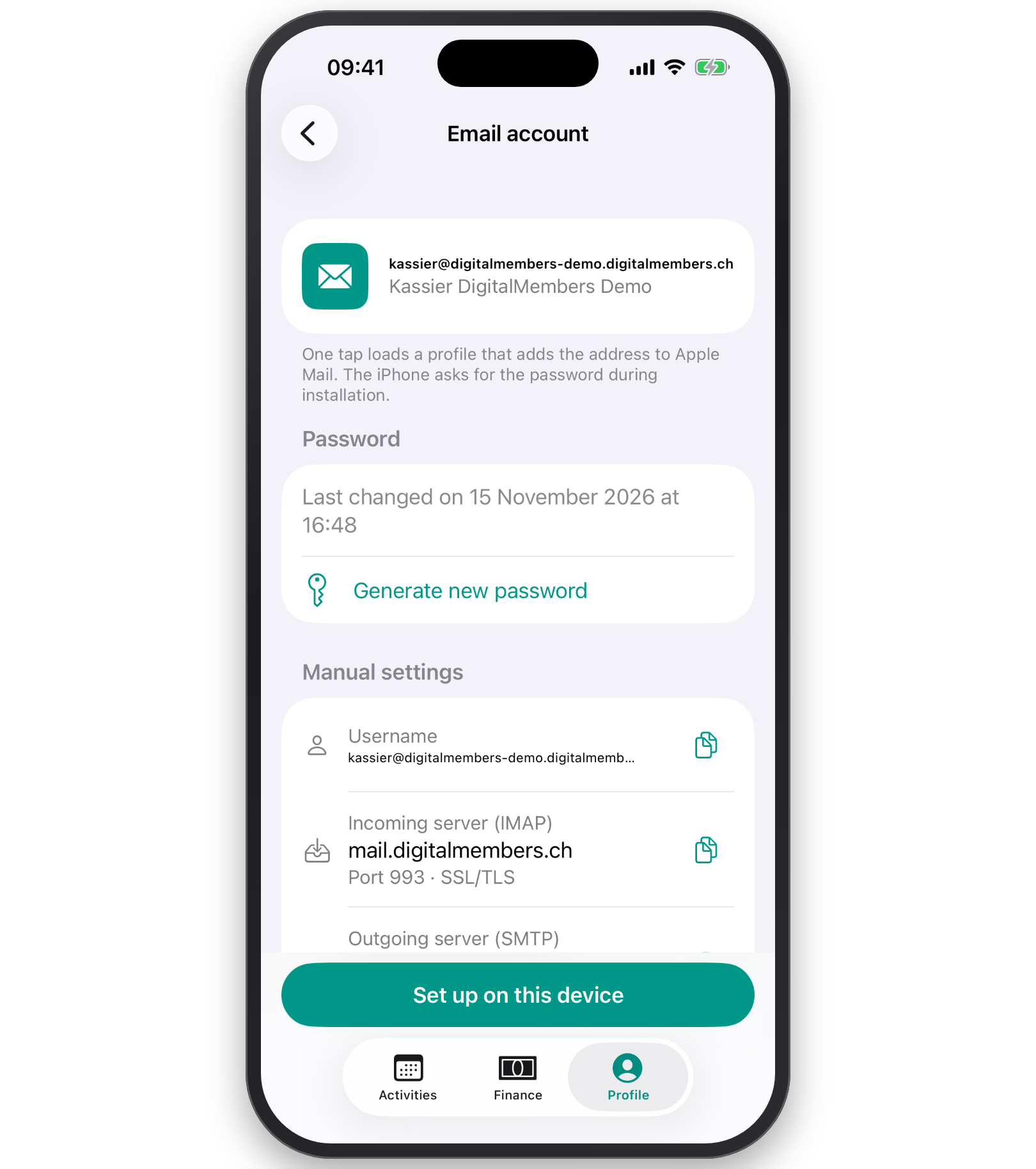
Anyone who has a mailbox can find it in the DigitalMembers app in their own profile. Tap "Set up on this device", and the club address is in Apple Mail alongside your private one. On Android, the app guides you through the setup.
Frequently Asked Questions
- Does my club need its own domain?
- Every club starts with addresses on its subdomain, for example treasurer@your-club.digitalmembers.ch. With the licence, you can add your own domain like club.ch at any time. The guide Set up email addresses for the club shows you how to do it step by step.
- Can my club keep its current address?
- Yes. You transfer the domain to DigitalMembers without losing any mail, or you leave the mail with your current provider and still send from your address.
- How much do the email addresses cost?
- The addresses are included in every license. During the trial period, you use the subdomain with mailboxes per person. Forwarding and your own domain are added with the license.
- Does this work with Outlook and Apple Mail?
- Yes, with any mail program. On iPhone, iPad and Mac, you set up the mailbox with one tap. There is also webmail in the browser.
Give your club its own addresses
Try it free for 14 days. The address on the subdomain is ready from day one.
Try for free